Buying Guide
Wireless connectivity and streaming support
For a true wireless experience, prioritize the types of wireless connections a soundbar supports. Bluetooth is convenient for quick pairing with phones and tablets, while Wi‑Fi-based streaming (AirPlay, Chromecast or proprietary apps) delivers higher-quality audio and multiroom options. For a broader roundup of top picks, see best soundbar. Also check for HDMI‑ARC or eARC if you want a single‑cable setup that still supports advanced audio formats.
- What to look for: Bluetooth version, Wi‑Fi streaming support, and whether the bar lists AirPlay or Chromecast compatibility.
- Example: The Sonos Beam Gen 2 is a good pick if you want robust Wi‑Fi streaming and platform integrations alongside wireless pairing.
Sound performance: channels, bass and tuning modes
Consider the channel configuration (2.0, 2.1, 3.1, 4.1, etc.) and whether a dedicated subwoofer is included or available separately. More channels and a powered subwoofer typically result in fuller dialogue, clearer effects and deeper bass. Also look for onboard sound modes or EQ presets to tailor performance for movies, music or games. If you mainly game, check our best gaming soundbar guide for models with low latency and enhanced spatial effects.
- What to look for: number of channels, presence of a built‑in or wireless subwoofer, and customizable EQ or modes like “voice enhance” or “night mode.”
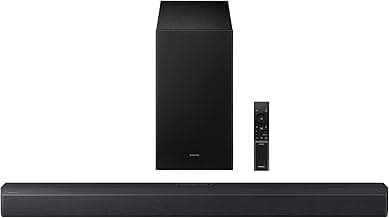
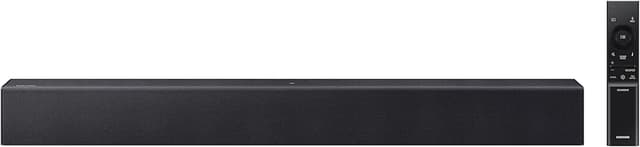
- Example: Models such as the Samsung HW‑B400F are often praised for including a built‑in woofer and voice‑enhancement features that help with dialogue clarity.
Size, placement and TV compatibility
Match the soundbar’s length and height to your TV and viewing position. A very short bar can leave dialogue sounding off‑center on a large TV, while a tall bar might block an IR sensor or the lower bezel. Consider wall‑mounting options and whether the soundbar’s remote or the TV remote can control basic functions.
- What to look for: physical dimensions, mounting points, and whether the manufacturer lists compatibility with your TV brand or “one‑remote” control.
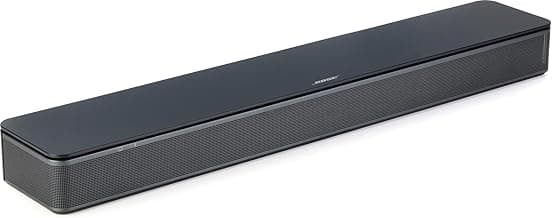
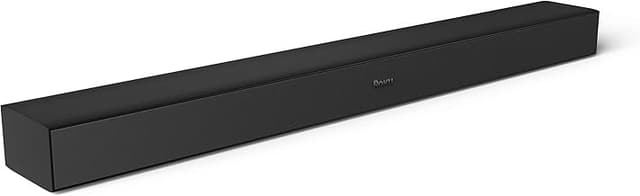
- Example: If space is tight, compact units like the Bose TV Speaker can be a practical choice for unobtrusive placement.
Smart features, voice control and app support
Decide if you want built‑in voice assistants, app control for fine tuning, or third‑party streaming integrations. Apps can provide EQ presets, firmware updates and advanced features like upmixing or surround expansion. Built‑in assistants or Alexa/Google support are handy if you want hands‑free control. For budget-friendly options with solid app control and settings, see best budget soundbar.
- What to look for: companion app quality, support for firmware updates, and whether voice assistants are built in or supported via connected devices.
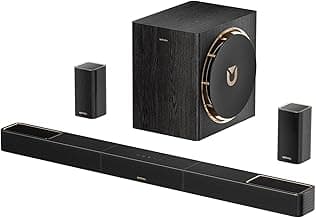
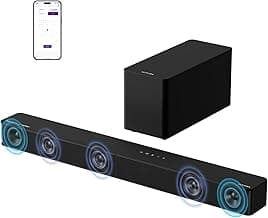
- Value option: For strong app control and adjustable sound settings at a modest price, consider the ULTIMEA Poseidon M30, which lists app control, adjustable bass and Bluetooth.
Budget, expandability and future‑proofing
Set a realistic budget and decide what you’ll want from the soundbar over the next few years. If you plan to add rear surrounds or upgrade later, choose a model that supports wireless surrounds or an optional subwoofer. Also check for support of newer standards like Dolby Atmos and eARC if you want better compatibility with future TVs and sources. See our picks for best dolby atmos soundbar if Atmos support is a priority.
- What to look for: upgrade paths (wireless surrounds, add‑on subs), format support (Dolby Atmos/Surround expansion) and HDMI eARC for highest‑quality passthrough.
- Example: Multi‑component systems with wireless rear speakers and a subwoofer—like higher‑end LG or Samsung kits—are worth considering if you want a desktop‑to‑dedicated‑theater upgrade path.
FAQ
What's the best wireless soundbar for most people?
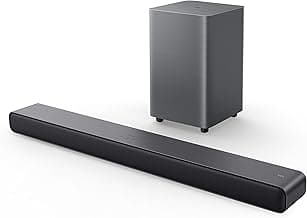
For most buyers a versatile, easy-to-set-up soundbar that supports Bluetooth and HDMI ARC plus multiple inputs is the best choice. It should improve dialogue and TV sound without complicated setup or a large footprint. If you want a strong example that balances features and value, consider the Smart TV Soundbar. Check that the model you choose fits your TV's ports and room size before buying. If you're on a tighter budget, see best budget wireless soundbar.
Can I connect a wireless soundbar to any TV?
Most modern TVs support wireless soundbars via Bluetooth or HDMI ARC/eARC, but the exact options depend on your TV's ports and age. Older TVs may require an optical cable or a Bluetooth transmitter to work wirelessly. Always check your TV manual for supported audio outputs and whether ARC/eARC is available to pass through surround formats. A firmware update on the TV or soundbar can sometimes resolve connection issues.
Do wireless soundbars support Dolby Atmos?
Some wireless soundbars do support Dolby Atmos, but it's not universal—Atmos requires specific processing and speaker layouts. If Atmos is important, look for models that explicitly list Dolby Atmos like the Sonos Beam Gen 2. Also confirm your TV or source device can pass Atmos over HDMI eARC or the appropriate connection. Keep in mind Atmos performance varies with room size and speaker placement.
Is a built-in subwoofer better than a separate wireless subwoofer?
Built-in subwoofers save space and simplify setup, which is handy for small rooms or simpler installs—models like the Samsung HW-B400F include a built-in woofer for that reason. Separate wireless subwoofers typically deliver deeper bass and let you place the sub where it sounds best. Choose built-in bass for compact setups or a wireless sub if you want stronger low-frequency impact. Whatever you pick, consider room size, neighbor noise, and placement options before deciding.
What should I look for when buying a wireless soundbar for a small apartment?
In a small apartment prioritize a compact footprint, clear dialogue enhancement, and night or bass-limiting modes to avoid disturbing neighbors. Make sure the bar has Bluetooth and HDMI ARC for easy connectivity and adjustable EQ or a voice-enhance feature for TV dialogue. A compact option to consider is the Bose TV Speaker. Measure your TV area and check remote sensor placement so the soundbar fits without blocking equipment.
Final Verdict
After testing the top wireless soundbars, the strongest models stood out for balanced clarity, dependable wireless/ARC connectivity, and usable bass—either built-in or via a wireless subwoofer. Buyers should prioritize HDMI-ARC/optical support, stable Bluetooth, dialogue/voice modes, and a size that fits the TV. The best-performing soundbars combined reliable wireless pairing, clear midrange for dialogue, and simple setup that integrates cleanly with most TV remotes.
🏆 Best Overall: Sound Bar for Smart TV — Bluetooth, ARC, Detachable
💰 Best Budget: Sonos Beam Gen 2 — Soundbar with Dolby Atmos
⭐ Best Premium: Samsung B-Series HW B400F (2025) — Built-in Woofer