Buying Guide
Compatibility: platforms and vehicle integration
Make sure the controller works with the devices and apps you actually use. Most wireless music controllers rely on Bluetooth media profiles (AVRCP/HID) so they handle play/pause, skip and volume on phones, tablets and many car head units—but compatibility can vary by model and by app. If you need desktop or USB connectivity instead, see our guide to best usb music controllers.
- Check whether the controller explicitly lists iOS, Android, macOS or Windows if you need desktop support.
- If you plan to mount it in a car or on a bike, confirm the controller supports steering‑wheel or handlebar mounts and works with your in‑vehicle audio setup.
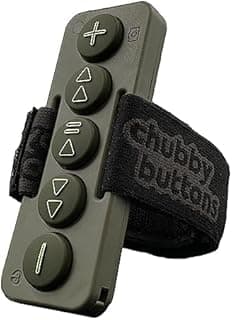
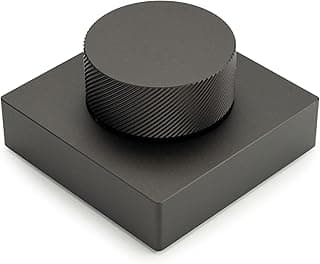
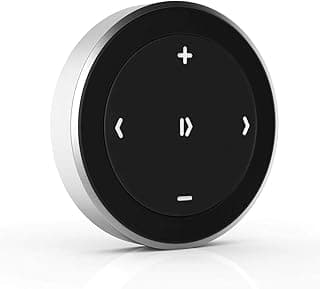
- Example: the Satechi Bluetooth Media Button is designed to work across phones, tablets and some car/bike installations—useful to test against your primary devices before buying.
Controls and ergonomics
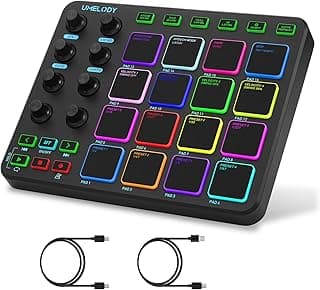
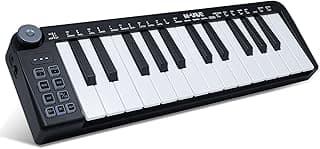
Think about how you’ll operate the controller: single‑button remotes are compact, while multi‑button devices or pedals give direct access to play/pause, skip and volume without cycling through functions. Physical layout, button feedback and mounting options affect real‑world usability. If you prefer keyboard-style controls for DAW or MIDI work, check our best keyboard music controllers roundup for layout and feature comparisons.
- Prefer large, tactile buttons for gloved or one‑handed use (riding, driving, performing).
- Look for dedicated volume controls if you want to adjust audio without touching your phone.
- Example: a robust, weatherproof button remote like the Waterproof Bluetooth Media Button Remote offers clear controls and steering‑wheel compatibility for active users.
Durability and water resistance
If you’ll use the controller outdoors, on a bike, motorcycle or boat, durability matters. Check build quality, sealing, and attachment method so the unit survives vibration, rain and occasional bumps.
- Look for an IP rating or manufacturer claims about waterproofing when using the controller outdoors.
- Assess the mounting system—secure clamps, adhesive mounts or screw mounts are better for high‑vibration environments.
- Example: products designed for powersports such as the Recoil Waterproof Bluetooth Media Button prioritize ruggedness and water resistance for repeatable outdoor use.
Battery life, charging and connectivity stability
Battery type affects convenience and runtime. Some remotes use replaceable coin cells for long storage life; others offer rechargeable batteries with micro‑USB or USB‑C. Also consider how easily the controller pairs and whether it remembers multiple devices. For insights on Bluetooth performance and multi-device pairing behavior, see our tests of best wireless game controllers.
- Rechargeable units avoid ongoing battery purchases but check charging time and reported runtime reviews.
- Look for models that reconnect reliably after power cycles or when moving between devices.
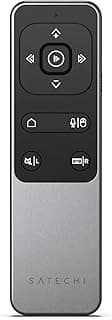
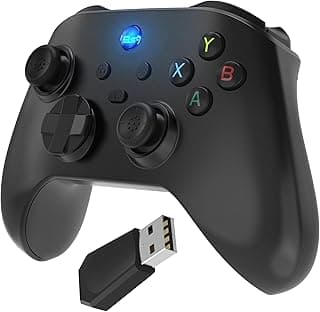
- Compact, low‑power remotes—like the small wireless remote often marketed for phone control—can be an economical choice if you prioritize battery simplicity; for example, the Wireless Remote Controller (budget) is a basic option to evaluate.
Use case and special features (pedals, camera shutter, page turning)
Choose a form factor that matches your workflow. Musicians and presenters often prefer foot pedals or multi‑switch solutions, while content creators may want a dedicated camera shutter or app‑specific shortcuts.
- Foot pedals and page turners free your hands for instruments or sheet music; confirm OS/app compatibility for page‑turning apps.
- Camera shutter and app‑scrolling modes are handy for creators who need remote control of recording or social apps.
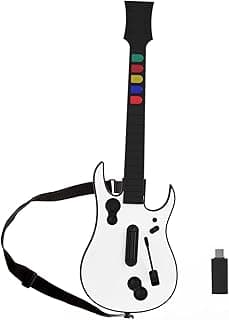
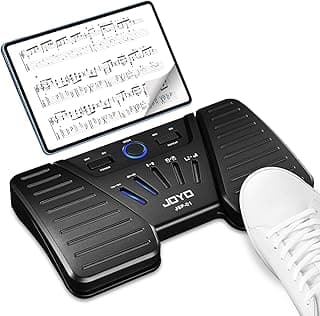
- For dedicated page‑turning or performance use, consider premium pedal options such as the JOYO Wireless Page Turner (SP‑01) or the versatile Donner Wireless Page Turner Pedal. For rhythm or music-gaming scenarios, our guide to the best music game controller offers relevant options and performance notes.
FAQ
What's the best wireless music controller for using in a car?
For in-car use you want a compact remote with an easy steering-wheel or dash mount and clear media/volume buttons. A top pick for that is the Satechi Bluetooth Media Button, which is designed for steering wheel mounting and basic media control. Look for models that explicitly list steering-wheel compatibility and simple pairing with phones. Avoid overly complex remotes that require extra apps if you just need play/pause and volume control.
Will a Bluetooth music controller work with my Android or iPhone?
Most wireless music controllers use standard Bluetooth media controls and work with both Android and iPhone for play/pause, skip, and volume. Always check the product listing for explicit compatibility notes, since some remotes map buttons differently in certain apps. If you rely on a specific app (streaming, recording, or sheet music), test basic functions before a gig or drive. If pairing fails, try removing old pairings and restarting both devices.
How do I choose a controller for live performance or professional use?
For professional settings prioritize reliability: waterproof or rugged builds, low-latency Bluetooth, and secure mounting options if you’ll be moving around. Foot pedals and dedicated page-turners are useful for hands-free control, while robust button remotes work well for FOH or cueing tracks. Read reviews about responsiveness and build quality rather than just price. If you need heavy-duty gear, consider pro-focused models that advertise waterproofing and vibration resistance like the Recoil-style units.
Can I use a wireless controller to turn pages or control sheet music on a tablet?
Yes — dedicated page-turn pedals and controllers are made specifically for hands-free navigation of scores and presentation apps. A versatile option is the Donner Wireless Page Turner Pedal, which is rechargeable and designed for iPad, tablets, and phones. Look for pedals that advertise compatibility with your sheet-music or PDF app and offer simple pairing. Battery type and latency matter for live use, so prefer rechargeable or easily swappable batteries when possible.
Why does my wireless music remote skip tracks or lose connection?
Intermittent skipping usually comes from Bluetooth interference, low battery, or distance between the remote and the paired device. Move closer to the device, replace or recharge the battery, and remove other nearby Bluetooth connections that might conflict. Also check app permissions and background activity restrictions on your phone or tablet that can interrupt media controls. If problems persist, un-pair and re-pair the remote and update your device software if available.
Final Verdict
Top picks stood out for dependable Bluetooth pairing, intuitive multi-function controls, and durable mounting or pedal designs—traits weaker options lacked. Prioritize pairing reliability, button layout and reach, battery life or rechargeability, and solid mounts or waterproofing for use on bikes, cars, or stages. The best-performing controllers all shared repeatable connections, clear tactile controls for track/volume/navigation, and build quality that survives daily use. If you also use controllers for gaming or low-latency audio, our best bluetooth game controllers roundup may be useful when comparing wireless performance across use cases.
🏆 Best Overall: Satechi Bluetooth Media Button — Steering Wheel Mount & Volume Control
💰 Best Budget: Wireless Remote Controller — iOS/Android Bluetooth Remote (TikTok/Camera)
⭐ Best Premium: JOYO SP-01 Wireless Page Turner Bluetooth Music Pedal