Buying Guide
Sound quality and spatial audio
Sound quality is the most noticeable difference between headsets. Look beyond driver size and focus on tuning and supported surround formats—DTS Headphone:X, Dolby Atmos, or proprietary spatial engines can improve positional cues in competitive games while keeping music and cutscenes enjoyable. For broader model recommendations, see our best gaming headsets.
- What to check: driver type, supported spatial formats, and whether the headset has EQ presets or a companion app for tuning.
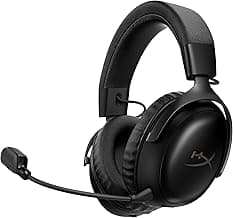
- Example: the HyperX Cloud Alpha Wireless ships with DTS support and dual-chamber drivers aimed at clearer mids and tighter bass, which helps both competitive play and general listening.
Wireless tech and latency
Wireless performance matters for both responsiveness and convenience. 2.4GHz RF dongles usually offer the lowest latency and most stable connection for PC and consoles, while Bluetooth gives broad device compatibility for phones and mobile play. Many headsets now combine 2.4GHz and Bluetooth to cover both use cases. If you care primarily about phone use and music, our best wireless headphones guide is a helpful reference.
- Choose 2.4GHz for competitive play, Bluetooth for mobile or casual use, or a headset that supports both if you switch devices often.
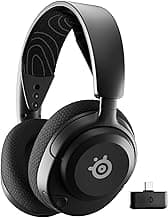
- Example: the SteelSeries Arctis Nova 5 Wireless offers 2.4GHz and Bluetooth modes so you can prioritize latency on console/PC and still accept phone calls.
Comfort, fit, and build
You'll wear a gaming headset for hours, so comfort should be top of mind. Pay attention to clamping force, earcup material, headband suspension, and overall weight. Memory-foam pads and breathable fabrics reduce fatigue; durable frames (aluminum or reinforced plastic) improve longevity. If you prefer larger, over-ear designs for extra comfort, check our best wireless over ear headphones.
- Try to find user feedback on long-session comfort and replaceable parts (ear pads, cables).
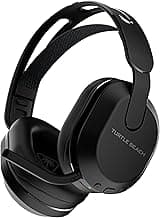
- Example: the Turtle Beach Stealth 500 highlights memory-foam ear cushions and a lightweight design, which are useful cues when comfort is a priority.
Battery life and charging options
Battery life affects whether a headset is practical for marathon sessions or regular use without frequent charging. Check stated battery hours but also pay attention to real-world reports—features like quick-charge, USB-C, or swappable batteries can make daily use easier.
- Long battery examples are useful for travel and extended gaming—budget models can still offer surprisingly long runtimes. See our best budget wireless gaming headsets for models that stretch runtime without a high price.
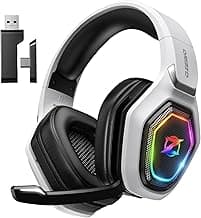
- Example: the acer Wireless Gaming Headset lists a very long battery life for its price class, making it an option when runtime matters most.
Microphone quality and communication features
A clear mic matters for teamwork and streaming. Look for noise-canceling or directional mics, flip-to-mute mechanisms, and whether the mic is detachable if you prefer a cleaner look. Software features such as voice EQ or ambient noise suppression can help in noisy environments.
- Consider platform-specific features like base stations with mixing controls for pro setups.
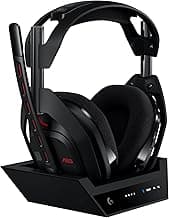
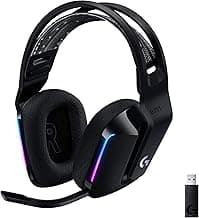
- Example: the Logitech G Astro A50 includes a base station and advanced audio routing, which can be helpful for streamers and players who need fine control over game/chat balance.
FAQ
Which wireless gaming headsets have the longest battery life?
Battery life varies a lot between models, so pick based on how long you play between charges. The HyperX Cloud Alpha Wireless is notable for extremely long runtimes (listed up to 300 hours), while mid-range options like the Razer BlackShark V3 and SteelSeries Arctis Nova 5 offer 60–70 hours. Budget picks such as the Acer model also advertise very long battery life (around 100 hours), and mainstream choices like the Turtle Beach Stealth 500 are closer to 40 hours. Consider whether you need Bluetooth multitasking or a dedicated 2.4GHz dongle, since wireless mode affects real-world battery use.
Are wireless headsets good for competitive gaming?
Yes—many modern wireless headsets offer low-latency 2.4GHz connections that are fine for competitive play, and console-native standards (like Xbox Wireless) reduce lag on their platforms. Look for a model with a reliable 2.4GHz link or a dedicated base station to avoid dropouts and to keep latency low. Also prioritize a clear noise-cancelling mic and comfortable ear pads for long sessions. If absolute minimum latency is crucial, wired headsets still have a slight edge, but top-tier wireless options are very close. Also see our best gaming headset for pc for picks optimized for desktop setups.
How do I connect a wireless gaming headset to my PS5 or Xbox?
Connection methods depend on the headset: PS5 typically accepts a 2.4GHz USB dongle or Bluetooth pairing if the headset supports it, while Xbox works best with headsets that support the Xbox Wireless protocol for direct console pairing. Many headsets also offer Bluetooth for phones and USB or 2.4GHz dongles for PC, so you may switch modes depending on the device. Always follow the manufacturer’s pairing instructions and make sure the console firmware is up to date. If you have trouble, try restarting both devices and testing the headset on a PC to isolate the issue.
What’s the difference between 2.4GHz wireless and Bluetooth for gaming headsets?
2.4GHz wireless (usually via a USB dongle) prioritizes low latency and a stable connection, which is better for fast-paced gaming. Bluetooth is more universal and convenient for mobile use and multi-device switching, but it typically has higher latency and slightly lower audio fidelity. Battery life and range can also differ: 2.4GHz setups often drain faster under heavier use but keep connections steady, while Bluetooth conserves power but can drop out in crowded radio environments. Choose based on whether you need competitive responsiveness (2.4GHz) or flexible device pairing (Bluetooth).
Which wireless headset gives the best value for under $150?
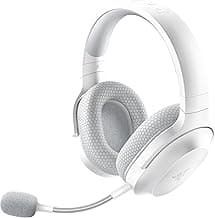
If you want strong features without a high price, look for headsets that balance sound quality, battery life, and a good mic in that price band. The Razer BlackShark V3 is a solid example of value around the $150 mark, offering good drivers and multiple connection options for the price. Cheaper picks like the Turtle Beach Stealth 500 provide excellent value if you don’t need premium materials or top-tier spatial audio. Compare comfort, warranty, and return policies as much as specs to find the best long-term value.
Final Verdict
Testing showed the winners separated themselves with stable low‑latency wireless links, balanced driver tuning, clear microphones, comfortable padding for long sessions, and reliable battery life. Prioritize connection type (dedicated 2.4GHz vs Bluetooth), mic clarity, fit, and battery when choosing. The best headsets combined dependable wireless performance, straightforward controls, and durable construction so you get consistent in‑game audio and communication without constant tweaking.
🏆 Best Overall: Turtle Beach Stealth 500 Wireless Gaming Headset
💰 Best Budget: acer Wireless Gaming Headset — 100Hr Battery
⭐ Best Premium: Xbox Wireless Gaming Headset — Spatial Audio