Buying Guide
Compatibility and platform support
Confirm the controller will work with the systems you play on. Some wired pads are plug-and-play on consoles and Windows, while others require drivers or a specific USB mode for PC. If you switch between Xbox and PC, choose a pad that explicitly lists both platforms — see our guide to best pc game controllers.
- Check official platform support (Xbox, PlayStation, Switch, Windows, Android).
- Look for plug-and-play or driver-free operation if you want simplicity.
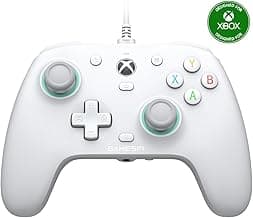
- For PC-focused builds, consider a controller marketed for Windows/PC to avoid mapping hassles — for example, the GameSir G7 SE is advertised for Xbox Series X|S, Xbox One and Windows.
Wired performance and latency
Wired controllers usually offer the best latency and consistent performance. When comparing wired options, look at the controller’s polling rate and the presence of technologies designed to reduce stick/trigger drift and input lag.
- Higher polling rates can reduce input lag; competitive-focused models often advertise this spec.
- Consider controllers that use Hall-effect or similar sensor technology to improve long-term stick and trigger accuracy.
- If low latency is a priority for PC eSports or aim-training, products that emphasize ultra-high polling rates — such as the GameSir G7 Pro 8K — are worth a look.
If you prefer untethered play for casual use or portability, check our round-up of best wireless game controllers to compare the trade-offs between latency and convenience.
Ergonomics, size and button layout
Comfort influences how long you can play without fatigue. Try to match the controller shape and button layout to your hand size and preferred grip (palm, claw, fingertip). Also consider the D-pad quality and the feel of face buttons if you play fighting or precision platforming games. For a broader look at different shapes and sizes across platforms, see our best gamepads guide.
- Smaller hands may prefer compact controllers; larger hands benefit from fuller grips and longer triggers.
- Back or paddles and remappable buttons can offer a competitive edge if you prefer hands-on-stick control.
- Budget and pro-style layouts differ — the Razer Wolverine V2 is an example of a controller that emphasizes remappable front-facing buttons and a performance-oriented layout.
Build quality, wiring and durability
Wired controllers see strain at the cable and connectors. Look for reinforced cable junctions, braided cords, and solid button construction if you want long life. Read user feedback on stick drift and trigger wear to gauge real-world durability.
- Inspect the cable attachment point and whether the manufacturer offers spare-part support or a warranty.
- Prefer controllers with well-reviewed sticks and triggers; Hall-effect or TMR sensors typically outlast cheap potentiometers.
- Pay attention to overall weight and materials — metal accents or heavier plastics often feel more durable but can change comfort.
Extra features and value
Decide which extras matter: remappable buttons, trigger stops, analog-digital switch, vibration strength, audio jack and software customization can all add usefulness. Balance those features against price to find the best fit for your needs.
- Software customization and button mapping are useful if you play many genres or want custom profiles.
- Features like mappable back buttons, dual rumble and high polling rates increase versatility — budget-friendly models can still offer excellent feature sets.
- If value is important, look at controllers that pack remappable inputs and modern sensors at a modest price, such as the GameSir Tegenaria Lite.
If you’re considering wireless alternatives for convenience or mobile play, our best bluetooth game controllers guide covers Bluetooth models and their suitability for different devices.
FAQ
What should I look for when shopping for the best wired game controllers?
Prioritize compatibility with your platform (Xbox, Windows, Switch, etc.), comfortable ergonomics, and solid build quality so the controller holds up to heavy use. Check for reliable stick and trigger designs—Hall effect sensors or well-reviewed analog parts are good signs. Look for useful extras like mappable back buttons, a 3.5mm audio jack, and a braided or reinforced cable. Finally, read recent user reviews to spot common issues like drift or poor button feel before buying.
Are wired controllers noticeably better than wireless for competitive play?
Wired controllers often offer more consistent inputs and avoid battery drain, which can be important in competitive settings where every millisecond counts. They remove wireless interference and the need to recharge, providing a steadier experience for long sessions. Some wired models are explicitly tuned for low latency and fast polling in esports, so they’re a safe choice for tournament play. If you want a premium wired option built for speed and responsiveness, consider the GameSir G7 Pro.
Will wired controllers work with both PC and Xbox consoles?
Many wired controllers are plug-and-play on Xbox consoles and Windows PCs, but compatibility varies—check the product page to confirm supported systems. Officially licensed Xbox-compatible controllers are the safest bet for seamless console use, and several third-party gamepads also list Xbox and Windows support. On PC, you may need to use Steam’s controller settings or a lightweight driver for full button mapping. If you want a broadly compatible, well-reviewed choice, the GameSir G7 SE supports Xbox Series X|S, Xbox One and Windows 10/11.
How can I prevent or fix joystick drift on a wired controller?
Start by recalibrating the controller in your console or PC settings and testing in another device to rule out software issues. Keep the area around the sticks free of dust, and avoid pressing the stick at extreme angles for long periods; occasional gentle cleaning around the base can help. If drift persists, check for firmware updates from the manufacturer and use warranty service if available. For long-term prevention, consider controllers with Hall effect sticks—models like the GameSir Kaleid use that technology to reduce drift risk.
Which wired controller gives the best value for money?
Value depends on the mix of price and features you need: look for a controller with durable buttons, responsive sticks, and extras like mappable buttons or dual rumble at a reasonable cost. Budget-friendly controllers that include modern features (Hall effect sticks, good polling rates, and back buttons) often deliver the best bang for your buck. If you want an affordable option packed with features, the GameSir Tegenaria Lite balances price with useful extras like mappable back buttons and solid build quality. Read recent reviews to confirm there aren’t recurring hardware problems before purchasing.
Final Verdict
After testing the top wired controllers, the strongest options separated themselves with precise sensor hardware (Hall/TMR sticks), dependable trigger feel, and low-latency wired performance—areas weaker models compromised. Prioritize stick and trigger technology, button feel and remapping, ergonomics, and polling rate when choosing. The best performers combined accurate inputs, durable build, and comfortable layouts that stay consistent during long sessions. For a wider roundup that includes wireless and console-first picks, see our best game controllers guide.
🏆 Best Overall: GameSir G7 SE Wired Controller — Hall Effect Sticks & Triggers
💰 Best Budget: Razer Wolverine V2 Wired Controller — Remappable Buttons
⭐ Best Premium: GameSir G7 Pro Wired Controller — TMR Sticks & Hall Triggers
![ZD-V+ USB Wired Gaming Controller Gamepad For PC/Laptop Computer(Windows XP/7/8/10/11) & PS3 & Android & Steam - [Black]](/_next/image/?url=https%3A%2F%2Fm.media-amazon.com%2Fimages%2FI%2F61qItTcisGL._AC_UY218_.jpg&w=640&q=75)