Buying Guide
Keys and range: how many do you need?
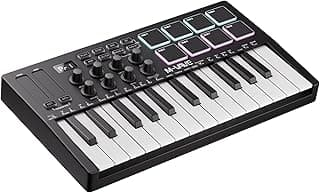
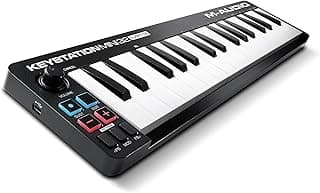
Decide how many keys match your workflow before anything else. A 25-key controller is compact and useful for beatmaking and melodic sketches, while 49–61 keys give more range for playing full parts without switching octaves. Think about whether you regularly play two-handed parts or need more than two octaves live or in the studio. For deeper comparisons and longer-range options see our best keyboard music controllers guide.
- Tip: If you plan to play full piano parts or work as a keyboardist, a 61-key option like the Nektar SE61 gives greater range and real-key feel.
- Tip: For sketching, producing beats, or making a highly portable setup, a 25-key unit is often the best fit.
Controls and performance features: pads, knobs, and arpeggiators
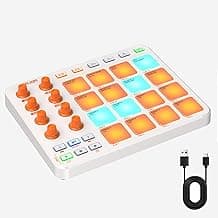
Check what hands-on controls you need. Drum pads, assignable knobs, faders, transport buttons and an arpeggiator change how you perform and produce. More controls reduce mouse-clicking and let you manipulate sounds in real time. If pads are central to your workflow, check our best drum controllers roundup for pad-focused gear.
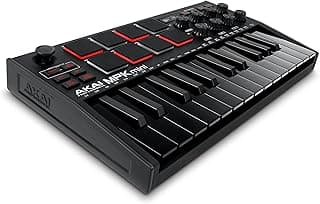
- Example: If you want pads and macro knobs in a compact package, the Akai MPK Mini MK3 combines velocity pads with assignable encoders and an arpeggiator.
- Tip: Prioritize the controls you’ll actually use—extra faders are great for mixing, while extra pads are better for beatmakers.
Key action and expression: velocity, aftertouch, and feel
Key action affects playability and expression. Mini keys save space but can change technique; full-size, semi-weighted, or hammer-action keys provide more natural feel. Also check velocity sensitivity and whether the controller supports aftertouch or polyphonic aftertouch for advanced expression.
- Tip: Beginners often find velocity-sensitive mini keys (like those on the Donner N-25) easier to carry and learn on, while producers who need expressive dynamics may prefer full-size keys.
- Tip: If you rely on expressive modulation (vibrato, pressure-controlled filters), verify aftertouch support before you buy.
Connectivity and DAW compatibility
Make sure the controller connects cleanly with your setup. USB-MIDI class-compliant devices work without drivers on most systems; some controllers add Bluetooth or DIN MIDI OUT for hardware synths. Also consider dedicated DAW integration or templates if you use a specific DAW—this saves mapping time. If you prefer Bluetooth or wireless setups, review our best wireless music controllers list.
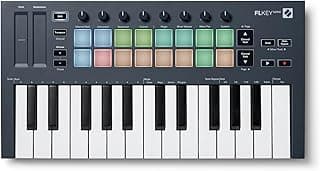
- Example: If you use FL Studio and want tight integration, controllers built for that workflow—such as the Novation FLkey Mini—can speed setup and control.
- Tip: For mobile setups, confirm class-compliance and whether you’ll need an adapter (USB-C, Camera Connection Kit) or external power source.
Build quality, portability and software bundles
Evaluate construction, weight and bundled software. Metal chassis and solid switches last longer if you gig; plastic shells keep weight down for travel. Bundled virtual instruments and DAW licenses can add great value, especially if you’re buying your first controller.
- Example: If you want an affordable, well-rounded starter controller, consider compact, value-oriented units like the midiplus AKM320 that balance price with useful features.
- Tip: Look at the included software list and verify whether the bundles require registration or have time-limited trials—this affects long-term value.
FAQ
What should I look for when choosing the best USB music controller?
Focus on key count and feel, pad quality, available knobs/faders, and DAW integration to match your workflow. Portability and power (bus-powered vs. separate adapter) matter if you plan to travel or play live. Good software bundles and preset mappings can speed up production, so check what each controller includes. If you want a compact, versatile all-rounder, consider the Akai MPK Mini as an example of a popular, feature-rich option.
Is a 25-key USB MIDI controller enough for production and performance?
Yes—25 keys are usually sufficient for beatmaking, sketching ideas, and most electronic production tasks because octave shift lets you access the full range. For realistic piano parts or extended performances you might prefer 49 or 61 keys to avoid constant transposing. Many producers use a 25-key as a travel or studio companion and keep a larger controller for detailed work. Think about your main use case: portability vs. live playability will guide the best choice.
Which USB music controller is best for beginners on a tight budget?
Look for simple layouts, velocity-sensitive keys or pads, and bundled learning software to flatten the learning curve. Smaller controllers often include basic knobs and pads that cover most starter needs without overwhelming you. A purpose-built beginner model that pairs affordability with teaching tools is ideal; for example, the Donner Mini is marketed toward new users and often includes tutorials and software. Prioritize ease of setup and compatibility with your DAW when choosing a first controller.
Will a USB music controller work with my iPad or phone?
Many modern USB controllers are class-compliant and will work with iOS/Android devices, but you should confirm compatibility before buying. On iOS you often need a Lightning-to-USB or USB-C adapter and sometimes a powered USB hub for bus-powered units. Bluetooth controllers offer a simpler wireless option if the controller supports it, but latency can vary. Always check the manufacturer's compatibility notes and user reviews for your exact device model.
Should I choose a pad controller or a keyboard controller for beatmaking?
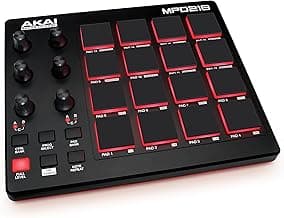
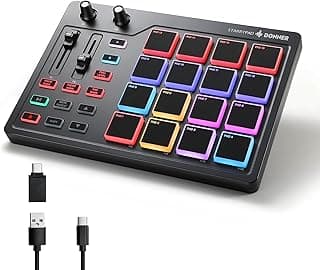
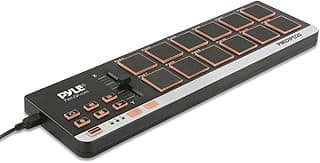
Pad controllers are ideal for finger drumming, sample triggering, and expressive beat programming, while keyboard controllers shine for melodic and harmonic input. Hybrid controllers with both pads and keys give you the best of both worlds if you switch between beats and chords. For pure pad-focused workflows consider dedicated MPC-style units, and for production that needs both elements look at compact hybrids like the MPK Mini or a pad-first option such as the MPD218. If you're exploring hybrid or alternative controllers, also see our picks for best midi game controller. Match the controller choice to whether you prioritize groove performance or melodic composition.
Final Verdict
After testing across price points, the strongest USB music controllers stood out for reliable key action or pad responsiveness, solid build, and thoughtful hands-on controls—knobs, pads and DAW integration that streamlines workflow. Weaker options cut corners on feel, mapping, or software support. Buyers should prioritize key type and feel, velocity-sensitive pads, assignable controls, and driver/DAW compatibility. The top performers all delivered responsive input, robust connectivity, and easy mapping that keeps creativity flowing. For other controller categories and buying options, see our overview of best game controllers.
🏆 Best Overall: Akai MPK Mini MK3 25-Key USB MIDI Keyboard
💰 Best Budget: Novation FLkey Mini 25-Key USB MIDI Controller
⭐ Best Premium: VAYDEER USB Volume Control Knob with Mute