Buying Guide
Screen size, aspect ratio, and curve
Sim racing benefits from a wide field of view that fills your peripheral vision. Ultrawide 21:9 panels (commonly 34-inch) provide a more immersive horizon than a single 16:9 display or multi-monitor bezel setups. For curated recommendations, see best gaming monitors for sim racing. Curvature matters too: tighter radii (lower R numbers) increase wraparound immersion and reduce eye strain at the edges, while gentler curves feel more like a large flat screen.
- Choose a size and curve that fit your cockpit: 34" with a 1500R curve works well for most rigs; larger or tighter-curved screens suit dedicated cockpits.
- Verify mounting/desk space and viewing distance before buying—ultrawides can be wider than you expect.
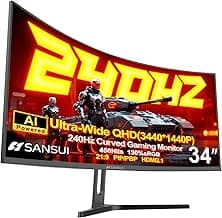
- Example: if you want an immersive 34" 1500R setup, consider the SANSUI 34" Curved UWQHD as a starting point.
Resolution and color accuracy
Resolution determines how much track and cockpit detail you can see; 3440×1440 (UWQHD/WQHD) is the sweet spot for sim racing—sharp enough to read dashboards and spot braking markers without overwhelming modern GPUs. For UWQHD-focused options, check best 1440p ultrawide gaming monitors. Color accuracy and contrast improve immersion and help you pick out visual cues in changing light.
- Prioritize at least UWQHD for clear instrument clusters and track detail at typical sim racing distances.
- Look for wide color gamut or high sRGB/DCI-P3 coverage if you want more vivid skies, trackside signage, and realistic lighting.
- High dynamic range (HDR) can enhance contrast, but true HDR experience varies a lot between monitor implementations—don’t rely on HDR alone for realism.
Refresh rate, response time, and motion handling
Higher refresh rates and fast response times reduce perceived motion blur and input lag—critical for high-speed cornering and twitch corrections. If your GPU can drive higher frame rates, aim for at least 120Hz; competitive sim racers often prefer 144Hz or higher. Low response times and good pixel overdrive minimize ghosting on fast camera changes.
- Match monitor refresh rate to your GPU and sim settings—higher is smoother but requires more GPU power.
- Look for low MPRT/GtG figures and effective overdrive tuning to reduce smearing on pavement and fast panning.
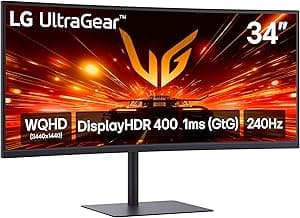
- For racers chasing the smoothest experience, consider a high-refresh ultrawide like the SANSUI 34" 240Hz Ultrawide if your machine can sustain it. For top-tier curated picks, see best premium ultrawide gaming monitors.
Connectivity, adaptive sync, and in-monitor features
Multiple high-bandwidth inputs let you connect a PC and a console or a wheelbase and a secondary machine. DisplayPort typically supports higher refresh rates and resolutions; HDMI 2.1 is useful for modern consoles or GPU features. Adaptive sync (G-Sync Compatible or FreeSync Premium) prevents tearing and stuttering at variable frame rates. Extra features like PIP/PBP help when you want telemetry or race apps visible alongside the sim.
- Prefer monitors with DisplayPort 1.4 and HDMI 2.1/2.0 for maximum compatibility.
- Confirm the monitor supports adaptive sync that pairs well with your GPU (NVIDIA/AMD).
- PIP/PBP and multiple input switching are handy for running race overlays, telemetry apps, or a race engineer screen without extra hardware. If you're using a console like the PS5, consider models listed in best ultrawide gaming monitors for ps5.
Ergonomics, mountability, and real-world fit
How the monitor fits into your rig is as important as its specs. Adjustable stands let you fine-tune height and tilt for a natural sightline to the virtual dash; VESA mounting compatibility is essential for attaching to a wheel stand or dedicated cockpit frame. Consider weight and bezel thickness if you plan to mount the panel close to your wheel.
- Check for VESA 100×100 (or device-specific) mounting and any included stand adjustments.
- Measure your cockpit opening and steering column position—center the screen so the horizon and cockpit instruments align with your real steering axis.
- Read reviews for build quality and long-term reliability; ultrawide panels with solid stands and good warranty terms are worth a small premium for daily racing use.
FAQ
What screen size and curvature are best for sim racing on an ultrawide monitor?
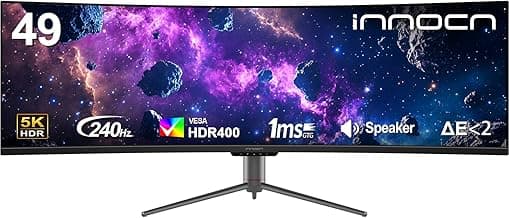
A 34-inch ultrawide at 3440×1440 with a 1500R curve is the most common sweet spot for sim rigs — it fills your peripheral vision without needing an enormous desk. Tighter curves (1000R) wrap more of your view and increase immersion but require you to sit closer and can feel overwhelming in smaller cockpits. Larger formats like 49-inch DQHD give a dramatic field of view but demand a much more powerful GPU and careful FOV tuning. For a practical balance between immersion and compatibility, consider a 34" 1500R model like the SANSUI 34-Inch Curved Monitor.
Do ultrawide monitors give better immersion than a triple-screen setup for sim racing?
Ultrawide monitors eliminate bezel gaps and deliver a single, seamless image, which is excellent for immersion and cockpit accuracy. Triple-screen rigs can offer a wider total FOV but introduce bezels, more complex mounting, and higher GPU cost to drive three panels. Ultrawide displays are also easier to calibrate for seat position and provide consistent color and brightness across the entire view. If you want a simplified, high-quality experience with fewer setup headaches, a proper ultrawide is often the better choice.
What refresh rate and response time should I look for for competitive sim racing?
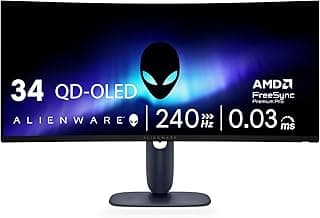
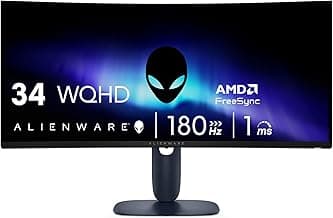
For competitive sim racing, aim for at least 144–165Hz to keep motion smooth and input lag low; higher rates like 180–240Hz are useful if your GPU can sustain them. Response time matters too — 1ms (MPRT or GtG depending on the panel) reduces trailing during quick camera pans and steering corrections. Also look for adaptive sync (G-Sync or FreeSync) to avoid tearing during frame drops. If you want a pro-level option with high refresh and low latency, the Alienware 34 Curved Monitor is a strong example of that balance.
Is 3440×1440 resolution enough for driving sims, or should I choose a higher resolution?
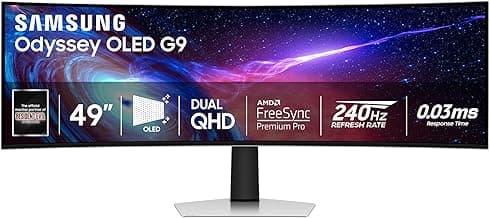
3440×1440 (UWQHD) is generally enough for detailed road textures and readable HUD elements while keeping GPU demands reasonable at high refresh rates. Higher resolutions, like the dual‑QHD 5120×1440 on some 49-inch panels, increase clarity and peripheral detail but substantially raise the GPU power needed. If you run a single GPU or prioritize high frame rates, UWQHD is the pragmatic choice; choose a higher-res 49" only if you have top-tier graphics hardware and want the extra visual real estate. For a middle ground that many sim racers prefer, stick with a well‑calibrated 34" UWQHD display.
How important are adaptive sync and HDR for a sim racing monitor?
Adaptive sync (FreeSync or G‑Sync) is very important because it removes screen tearing and smooths frame pacing, which improves both immersion and control feel. HDR can boost contrast and highlight detail in bright and dark areas, but many gaming monitors advertise basic HDR that offers limited real-world improvement. Prioritize a monitor with strong adaptive sync support and low latency first; treat HDR as a useful bonus if it has decent peak brightness and local dimming. If you want a compact option that balances these features, look for models with FreeSync and DisplayHDR 400 or higher in the specs.
Final Verdict
After testing the top ultrawides for sim racing the strongest monitors stood out for consistent UWQHD resolution, tight curve radius, high refresh rates and low response modes combined with wide color coverage and modern inputs. See our broader round-up of best ultrawide gaming monitors for pc for more general use cases. Buyers should prioritize 3440×1440 resolution, 1500R–1000R curvature, 120–240Hz+ refresh, low response time modes (MPRT/OD), HDR and HDMI2.1/DisplayPort support for smooth, immersive visuals. The best-performing picks all paired wide color gamut with reliable high refresh and the right ports for consoles and PCs.
🏆 Best Overall: SANSUI 34-Inch Curved UWQHD 3440×1440 Up to 200Hz
💰 Best Budget: Sceptre 34-Inch Curved WQHD 3440×1440 up to 180Hz
⭐ Best Premium: Gawfolk 34-Inch Ultrawide UWQHD 3440×1440 165Hz