Buying Guide
Sound profile and channel layout
Decide what kind of sound you want before anything else. Stereo 2.0 bars improve clarity and vocal presence, while 2.1 and 3.1 systems add a subwoofer or center channel for fuller bass and clearer dialogue. If immersive overhead effects matter (for movies and streaming), look for Atmos-enabled bars that use upward-firing drivers or virtualization to create height cues. For a comparison of different Atmos implementations and price points, see the best dolby atmos soundbar. For an example of a premium Atmos implementation, consider the Sonos Arc Ultra, which targets high-end home theaters and music listening.
Connectivity and compatibility
Check how the soundbar will connect to your TV and other devices. HDMI ARC or eARC is the most convenient option for full-resolution audio and single-remote control; optical and AUX can still work but may limit features. Bluetooth is useful for phone or tablet playback, while Wi‑Fi and streaming apps make multiroom and firmware updates easier. If you rely on wireless streaming and want consistent performance, check our best wireless soundbar picks. Also confirm the bar supports the audio formats you use (Dolby Digital, DTS, Atmos) and whether it works with your TV remote via HDMI-CEC.
Subwoofer and bass management
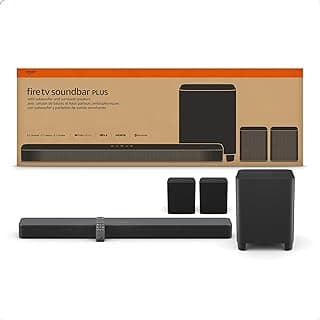
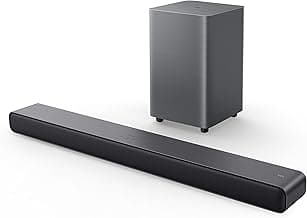
Bass can be handled by a built-in woofer or an external subwoofer. Built-in bass keeps installation simple and saves space; a dedicated wireless subwoofer generally delivers deeper, room-filling low end. If you prefer a compact all-in-one with a built-in subwoofer for easier setup, look at options like the Fire TV Soundbar Plus as an example of that approach. Also pay attention to adjustable bass controls or dedicated EQ modes so you can tune low frequencies to your room. If you're on a tight budget, our best budget soundbar roundup highlights affordable models with decent bass control.
Size, placement and room fit
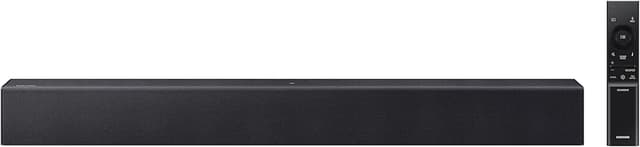
Match the bar’s length and power to your TV and room. A soundbar should be roughly the width of your TV to preserve soundstage and avoid audio shadowing. For small desks or home-office setups, compact models work best; for living-room home theaters, wider bars or multi-channel systems perform better. If you need a compact option, the Sony S100F is an example of a smaller, easy‑to‑place unit geared toward tight spaces.
Smart features, setup and controls
Consider how easy the bar is to set up and control. Auto-calibration, room correction, and mobile apps simplify initial tuning. Voice assistants and compatibility with smart ecosystems can add convenience but aren’t essential if you prefer simplicity. Also look for clear remote layouts, HDMI-CEC support for one‑remote control, and reliable firmware updates from the manufacturer to keep the bar functioning well over time.
Budget, expandability and long-term value
Decide which features are must-haves and which you can skip to stay within budget. Some bars deliver excellent dialogue clarity and Bluetooth for a low price; others are designed to be expanded with wireless surrounds or upgraded subs. For value-focused shoppers, inexpensive yet feature-rich options—like a versatile budget model with multiple inputs and EQ modes—are worth considering; one such entry-level choice is the Budget Sound Bar. Finally, check warranty terms, reviews for long-term reliability, and whether the manufacturer provides firmware updates—those factors often determine total ownership satisfaction.
FAQ
Which is the best soundbar for most people?
For most buyers the best soundbar balances clear dialogue, easy setup, and a compact footprint that fits under your TV. Look for models with Bluetooth and simple connection options so you can stream music and attach your TV without fuss. If you want a reliable all-around pick that emphasizes clarity and space savings, the Sony S100F is a solid choice because it’s compact and easy to set up. Choosing a model like that usually gives better TV sound without needing a full home theater. Prioritize features you’ll actually use—size, connection type, and a dialogue mode often matter more than headline power numbers. If you game, look for models with low-latency modes and dedicated processing—our best gaming soundbar guide covers those choices.
Will a soundbar noticeably improve my TV's audio?
Yes — a good soundbar will usually make dialogue clearer and add a sense of depth compared with small built-in TV speakers. Most soundbars use larger drivers and tuned processing to widen the soundstage and improve bass response, which makes movies and shows feel fuller. The difference is most obvious if your current TV has thin, tinny sound or weak dialogue. That said, room acoustics and placement still matter: a cramped cabinet or poor placement can limit the gains you hear.
Do I need a separate subwoofer or is a built-in sub enough?
A separate subwoofer provides deeper, more physical bass that’s noticeable in action movies and music, so it’s worth it if you want impact. A built-in or compact subwoofer can be fine for casual viewers, small rooms, or apartments where bass must be controlled. If you prefer an all-in-one setup with decent low end without a separate box, consider an option like the Fire TV Soundbar Plus, which includes a built-in subwoofer and good dialogue clarity. Ultimately choose based on room size and how much deep bass you actually want.
How do I connect a soundbar to my TV for best audio quality?
For the best quality use an HDMI ARC or eARC connection if both your TV and soundbar support it, since it passes high-quality audio and allows remote control. If HDMI isn’t available, optical digital audio is the next-best wired option and beats analog AUX for clarity. Bluetooth is convenient for music but can introduce latency for TV audio, so use it only for casual listening. After connecting, set your TV audio output to external speakers or ARC/eARC and enable any passthrough or surround settings you want.
What should I look for in a soundbar for a small apartment?
In a small apartment prioritize size, adjustable bass, and a dialogue-enhancement mode so you get clear sound without overwhelming neighbors. A compact model with Bluetooth is handy for streaming music and fits smaller furniture; the Creative Labs GS3 is an example of a compact unit geared toward limited spaces. Avoid large, high-power subs unless you have a dedicated space and can control bass levels. Also check for night or dynamic range modes to preserve clarity at low volumes and prevent late-night disturbance.
Final Verdict
Across tests the winners stood out for balanced, distortion-free sound, consistent dialogue clarity and reliable connections. Weaker options often prioritized loudness over clarity or offered limited connectivity. If you need more absolute loudness or are building a larger system, our best loud speakers recommendations are useful. Prioritize clear dialogue, bass control (built-in or external sub), HDMI ARC/eARC and straightforward setup for your room size. The top performers combined tight low end, natural midrange, dependable inputs and simple controls—features that deliver excellent TV, movies and music without extra complexity.
🏆 Best Overall: Sony S100F 2.0ch Soundbar with Bass Reflex, Bluetooth
💰 Best Budget: 2-in-1 Sound Bar for TV/PC with Bluetooth, ARC, EQ Modes
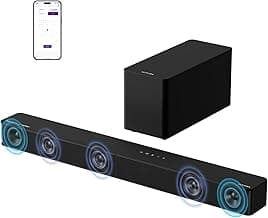
⭐ Best Premium: ULTIMEA Poseidon M60 5.1CH Dolby Atmos Soundbar with Subwoofer