Buying Guide
Panel type and contrast: choose the right display technology
Panel technology has the biggest impact on perceived image quality. VA panels deliver deep blacks and strong contrast, IPS panels give wider viewing angles and more consistent color, and OLED/QD‑OLED panels offer the best contrast and pixel‑level blacks for HDR and immersive dark scenes. For a premium ultrawide, decide whether contrast or color accuracy matters more for your games and content creation workflow.
- If you want rich blacks and strong contrast for cinematic single‑player games, a VA or QD‑OLED option is worth considering.
- If you value color accuracy and off‑axis consistency for editing or competitive multiplayer, IPS can be a better fit — for example, the CRUA 34" White Gaming Monitor uses an IPS panel and targets wide color coverage for premium color performance.
Refresh rate, response time and adaptive sync
High refresh rates and low response times reduce motion blur and input lag, which matter most in fast competitive games. Look for monitors with native refresh rates of 144Hz or higher and response time modes such as MPRT or gray‑to‑gray measurements. Adaptive sync (FreeSync, G‑Sync compatible) prevents tearing when frame rates vary.
- For a top balance of speed and value, consider a model with 180–240Hz capability and adaptive sync support — an example is the SANSUI 34" 240Hz Ultrawide, which pairs high refresh with HDMI 2.1 and DP inputs for modern GPUs.
- Check how manufacturers report response time (MPRT vs. GtG) so you compare similar measurements across models.
Resolution, aspect ratio and screen size
Ultrawide monitors commonly use 21:9 or super ultrawide formats; resolution and panel size determine pixel density and workspace. A 34" 3440×1440 (WQHD) ultrawide is the sweet spot for most gamers — it balances field of view, clarity and GPU demands. For curated options at 1440p, see our best 1440p ultrawide gaming monitors.
- For creators and professionals who want extra horizontal real estate without splitting into multiple displays, the INNOCN 49" 5120×1440 is an ultrawide pro‑grade choice with high pixel width.
- Balance your GPU capability with the panel resolution you choose—higher pixel counts demand more graphics horsepower to run games at high frame rates.
Connectivity, ergonomics and build quality
Premium ultrawides should offer the ports you need (HDMI 2.1, DisplayPort 1.4, USB‑C, multiple inputs) and a stand that adjusts height, tilt and swivel for comfortable long sessions. VESA compatibility is useful if you plan to mount the monitor or use a third‑party arm. If you plan to connect a console, especially a PS5, check our best ultrawide gaming monitors for ps5 for HDMI 2.1 options.
- Look for models with multiple video inputs so you can connect a console and PC without swapping cables; the KTC 34" Ultrawide offers a full adjustment range and common port options for flexible setups.
- Check reviewer photos and notes about build quality and cable management—premium monitors often include better stands and cleaner cable routing.
HDR, color gamut and calibration
HDR capability varies widely. Look beyond the HDR label: check peak brightness, local dimming (if present), and the monitor's color gamut (sRGB, DCI‑P3) to judge real HDR performance. Factory calibration or included color profiles can save time if you need accurate colors out of the box.
- If HDR and deep blacks are a priority, quantum‑dot OLED or monitors with higher peak brightness and effective local dimming perform noticeably better.
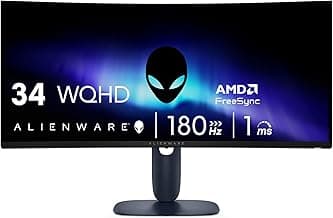
- For a high‑end HDR ultrawide example that prioritizes color and longevity, consider the Alienware 34" QD‑OLED (AW3425DW) for top‑tier contrast and HDR handling.
FAQ
Are premium ultrawide gaming monitors worth the price?
Premium ultrawide monitors are worth it if you value immersion, multitasking, or a wider field of view for racing, flight sims, and open-world titles. They also help productivity by letting you run multiple windows or timelines side-by-side without a bezel in the middle. If you mainly play fast-paced esports titles, a higher-refresh 16:9 panel can be more cost-effective, but ultrawides are excellent for mixed use. Consider your GPU power and desk space before committing, since higher resolution and refresh rates require more graphics performance. If sim racing is your focus, see our best ultrawide gaming monitors for sim racing.
What specs should I prioritize when shopping for the best premium ultrawide gaming monitors?
Focus on resolution (many premium ultrawides use 3440×1440), refresh rate (144Hz or higher for smoother motion), and panel type (IPS for color accuracy, VA for contrast). Also check response time, adaptive sync support (FreeSync/G-Sync), and available inputs like DisplayPort and HDMI 2.1 for consoles. HDR capability and color coverage matter if you do content work or watch HDR media. Finally, verify stand adjustability or VESA compatibility so you can position the screen comfortably.
Will a 34-inch ultrawide fit on my desk and how should I measure?
Check the monitor’s listed width and stand depth on the product page and compare those numbers to your desk measurements before buying. Measure the usable desk width and how far back the monitor base will sit, and don’t forget space for speakers, keyboard, and a comfortable viewing distance. If you're also upgrading audio, see our best gaming headsets. If your desk is shallow, consider a VESA arm to save space and improve ergonomics. Leave room for cable access and a little breathing space behind the monitor for ventilation.
Can a premium ultrawide monitor help with productivity and content creation?
Yes—ultrawides give you a lot of horizontal real estate for timelines, spreadsheets, and multiple app windows, which speeds up workflows compared with a single 16:9 display. For color-critical work, pick a monitor with wide color gamut and good coverage like higher sRGB or DCI-P3 ratings; some pro-oriented ultrawides also include USB-C for a simpler single-cable setup. An example tuned for professional use is the INNOCN 49-inch ultrawide, which offers wide color coverage and USB-C connectivity for docking. Pairing an ultrawide with a calibrated workflow will yield the best results for content creation.
Which premium ultrawide monitor is best for high-refresh competitive gaming?
For high-refresh competitive play you want the fastest refresh and lowest perceptible input lag available in an ultrawide. The SANSUI 34-inch 240Hz ultrawide is a strong example because it pairs very high refresh with features like multiple HDMI 2.1 and DisplayPort inputs and low MPRT for motion clarity. Make sure your GPU can sustain high frame rates at ultrawide resolution, and enable adaptive sync to reduce tearing and stutter. If pure competitive performance is the priority, balance refresh and resolution based on what your hardware can maintain consistently.
Final Verdict
Top performers separated themselves by delivering consistent color accuracy, high refresh rates and low input lag, reliable HDR handling, and solid connectivity/ergonomics; weaker options cut corners in one or more of those areas. Prioritize panel quality and color coverage, refresh rate and response time, HDR certification, and the ports and stand adjustments you need. The best monitors shared accurate color tuning, fast motion handling, dependable HDR behavior, and sturdy, adjustable builds that make long sessions comfortable and predictable.
If you want value-focused options, check our best ultrawide gaming monitors under $1000.
🏆 Best Overall: SANSUI 34" 240Hz Ultrawide Curved UWQHD 3440×1440
💰 Best Budget: Samsung Odyssey G5 34" 1000R Curved WQHD 165Hz
⭐ Best Premium: CRUA 34" WQHD IPS Ultrawide 165Hz/144Hz