Buying Guide
Choosing the right controller makes a big difference in comfort, input accuracy, and compatibility. Below are the key factors to weigh when shopping for the best PC game controllers, with practical examples to help you decide which features matter most for your setup and playstyle. For a roundup of tested hardware, see our best game controllers.
Compatibility and platform support
First confirm that the controller supports your primary platform(s): Windows PC, Steam Deck, Switch, Android, iOS, or Xbox/PlayStation ecosystems. Check whether a controller uses XInput (native for many PC games), DirectInput, or vendor software for mapping. Also note whether the controller connects via USB, Bluetooth, or a 2.4 GHz dongle—some setups (like switching between PC and Switch) require multi-mode support.
- If you only play on PC and want plug-and-play simplicity, a wired pad like the Logitech G F310 can be a straightforward choice.
- For multi-device use, look for explicit support for the systems you use and mention of XInput/DirectInput or software that enables remapping.
Wired vs. wireless: latency and reliability
Decide whether low latency or untethered freedom is more important. Wired connections generally offer the lowest latency and the simplest compatibility. Wireless options vary: Bluetooth is convenient but can introduce more latency and occasional interference, while dedicated 2.4 GHz dongles usually offer lower latency and more consistent performance. For focused low-latency picks, see our best wired game controllers.
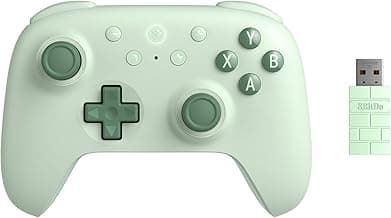
- High polling-rate wireless pads (many advertise 1000 Hz or higher) can narrow the gap with wired controllers—consider the 8BitDo Ultimate 2C if you want a wireless pad with a high polling rate and modern inputs.
- For competitive play where input lag matters most, prefer a wired connection or a wireless controller designed for low-latency operation.
Bluetooth is convenient but can introduce more lag than a 2.4GHz dongle in some setups; if you favor Bluetooth-specific options, check best bluetooth game controllers for tested picks.
Controls, inputs, and customization options
Look beyond the face buttons—thumbstick feel, trigger type, presence of back paddles, and remappable buttons all affect play. Hall-effect joysticks and triggers offer greater precision and durability than standard potentiometer sticks. If you need on-the-fly adjustments, check whether the controller supports button remapping, profiles, or macros either onboard or via companion software.
- Back paddles and extra buttons help in shooters and complex control schemes; some value-oriented controllers include multiple programmable paddles and extensive remap options.
- Choose mechanical or micro-switch shoulder buttons if you prefer crisp, fast actuation; hall-effect sticks are preferable for analog precision and longevity.
If you're comparing form factors and layouts, our best gamepads guide covers different pad designs and stick configurations to help match hardware to playstyle.
Battery life, charging, and included accessories
If you choose wireless, battery capacity and charging options matter. Larger batteries give longer play times, and a charging dock or included USB-C cable improves convenience. Also consider whether the controller includes a carrying case, extra thumbsticks, or a charging station in the box.
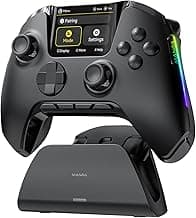
- For extended wireless sessions and a neat charging solution, premium models like the ManbaOne Interactive Screen Controller advertise a large battery and charging dock—useful if you want a ready-to-charge home setup.
- Check how the controller charges (USB-C is preferred) and whether it supports wired play while charging.
For wireless models with long battery life and docking solutions, see our best wireless game controllers.
Software, firmware support, and build quality
Good companion software makes calibration, remapping, and firmware updates easier. Prioritize brands with a solid track record for updates and responsive support. Also evaluate build materials, stick and trigger durability, and warranty—these affect how long the controller performs well.
- Look for controllers with regular firmware updates and active support communities if you plan to customize mappings and profiles.
- Inspect reviews for reports of stick drift, button wear, or poor plastics; higher-quality components (like TMR or hall sensors) usually age better.
FAQ
What features should I look for when shopping for the best PC game controllers?
Prioritize compatibility (Windows, Steam, Steam Deck, Android) and whether you prefer wired reliability or wireless freedom. Look for quality sticks and triggers—hall-effect sensors and durable thumbsticks reduce drift over time. Extra features like back paddles, remappable buttons, and a high polling rate matter if you play competitively. Also consider battery life, build quality, and whether the layout feels comfortable for long sessions.
Which PC controller is the best overall for most players?
If you want a simple, reliable option with a familiar console layout and budget price, the Logitech G F310 is a solid pick. It’s wired, so you don’t worry about latency or batteries, and the button layout suits a wide range of PC games. It’s not packed with extras, but that makes it straightforward and dependable for most users. If you later want more features, you can upgrade to a wireless or hall-effect model without losing basic compatibility.
Do wireless PC controllers introduce noticeable input lag?
Modern wireless controllers can be nearly indistinguishable from wired controllers if they use a low-latency connection or a dedicated dongle. Models with high polling rates and good wireless protocols tend to perform best—controllers like the 8BitDo Ultimate 2C emphasize low-latency performance and hall-effect sticks for reliable inputs. Bluetooth is convenient but can introduce more lag than a 2.4GHz dongle in some setups, so test both if possible. For competitive play choose wired or a proven low-latency wireless option.
What’s the best budget PC controller that still feels good?
On a tight budget look for controllers that offer durable sticks and solid connectivity rather than flashy extras. The ECHTPower Wireless Controller is a common budget pick because it combines hall-effect joystick options and both 2.4GHz and wired modes. Expect acceptable vibration and basic remapping tools at this price point, but don’t expect the longevity of premium models. For casual play it’s a cost-effective way to get a comfortable controller without spending much.
Can I use an Xbox controller on a PC, and is it worth it?
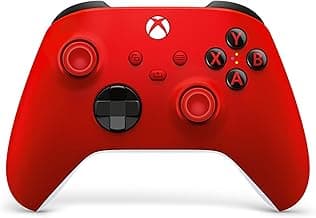
Yes—Xbox wireless controllers are designed to work well on Windows PCs via Bluetooth, USB-C, or the Xbox Wireless Adapter, and they offer wide compatibility with PC games. The official Xbox Wireless Controller is a versatile choice with good ergonomics and native driver support in Windows. Using an Xbox pad reduces setup headaches and ensures most games map controls correctly out of the box. If you want native support and a familiar feel, it’s often worth the modest premium.
Final Verdict
After testing the top PC controllers, the standouts combined solid build, low-latency connections, precise joysticks and durable triggers. Buyers should prioritize comfort, reliable wired/wireless connectivity, remappable inputs, polling rate and battery life. The best-performing controllers shared sturdy hardware, predictable controls and dependable software support, which deliver consistent responsiveness across genres and long-term value.
🏆 Best Overall: Logitech G F310 Wired Gamepad Controller
💰 Best Budget: ECHTPower Wireless PC Gaming Controller
⭐ Best Premium: ManbaOne Interactive Screen Wireless Controller