Buying Guide
1. Sound quality and channel configuration
For gaming, clear dialogue, directional cues and impactful bass matter more than sheer loudness. Look for soundbars that advertise discrete channels (2.0, 2.1, 3.1, 5.1, or Dolby Atmos/virtual height processing) and a dedicated subwoofer or good low-frequency reinforcement for explosions and footsteps.
- Prefer a 2.1 or multichannel system if you want deeper bass and a wider soundstage for positional audio.
- Dolby Atmos or virtual height processing can improve vertical imaging, which helps with immersive single-player and cinematic moments. See our best dolby atmos soundbar guide.
- Check whether the subwoofer is built-in or external—external subs usually give tighter, stronger bass for gaming.
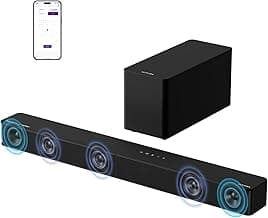
Example: the ULTIMEA Poseidon M60 is an example of a 5.1-style soundbar that pairs a subwoofer with Dolby Atmos processing, which is useful if you prioritize surround-style effects and bass impact.
2. Connectivity and platform compatibility
Make sure the soundbar connects cleanly to your primary gaming platform. HDMI eARC/ARC and optical are preferred for consoles and TVs because they carry surround formats and low-latency audio. Bluetooth and USB are handy for PC or mobile use but can add latency. For Bluetooth-first models and wireless performance, see our best wireless soundbar roundup.
- HDMI-ARC/eARC: best for console-to-TV setups and high-quality audio passthrough.
- Optical or 3.5mm: useful as backup options for older devices or projectors.
- Bluetooth: good for music and mobile but test for lag; many gaming setups avoid Bluetooth for primary game audio.
If you need a compact, TV-focused option with HDMI-ARC and Bluetooth, consider the Bose TV Speaker, which balances simple HDMI-ARC hookup with a straightforward setup for consoles connected through your TV.
3. Latency, input lag and gaming-specific features
Low latency is critical for competitive gaming. Look for soundbars or sound modes that advertise a “game mode” or low-latency processing. DSP features like directional enhancement, voice boosts, or spatial audio support (THX, DTS:X, Dolby Atmos) can also improve in-game situational awareness.
- Game mode or low-latency modes reduce processing delay between picture and sound.
- Spatial audio support (THX, Atmos) can make it easier to locate enemies or objects by sound.
- Built-in equalizer presets let you favor footsteps and gunfire over music-heavy mixes.
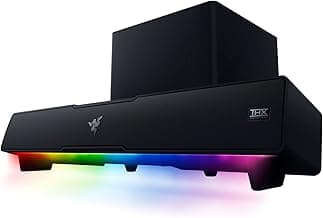
For a gaming-first design with spatial tuning, the Razer Leviathan V2 offers THX/positional features and a compact subwoofer option that many desktop gamers prefer.
4. Size, placement and room acoustics
Match the soundbar size to your monitor or TV and the room. A long soundbar on a small desk can overhang or reflect oddly; a very small soundbar in a large room may sound thin. Also consider wall-mount options, whether power and cabling will route cleanly, and how the unit interacts with monitor stands.
- Measure the width of your desk or TV stand and choose a bar that fits without blocking sensors or screen edges.
- USB-powered options are convenient for desktops, while mains-powered units usually produce better bass and volume.
- Room materials affect bass — carpets absorb low frequencies, while bare walls can make sound brighter or harsher.
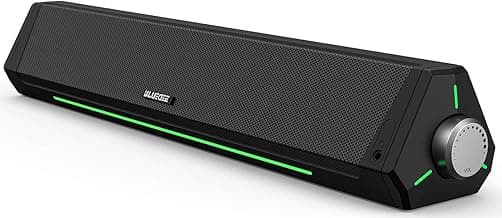
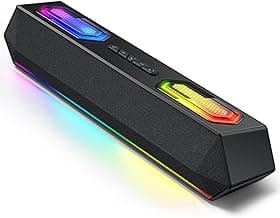
If you want a compact, desk-friendly RGB soundbar with USB power, the Redragon GS560 is designed for placement under monitors and offers lighting and touch controls tailored to desktop setups.
5. Budget, value and long-term use
Decide how much you’ll prioritize features over price. Entry-level soundbars can vastly improve built-in monitor speakers, while premium systems add subwoofers, advanced DSP and better materials. Consider warranty length and available firmware updates—these extend the useful life of a purchase.
- Set a realistic budget: basic improvement vs. full home-theater experience.
- Read recent reviews for reliability and firmware support—brands that update software can fix bugs and add features.
- If you’re on a tight budget, focus on connectivity and low-latency modes rather than extra lighting or cosmetic features.
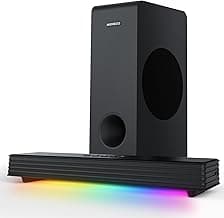
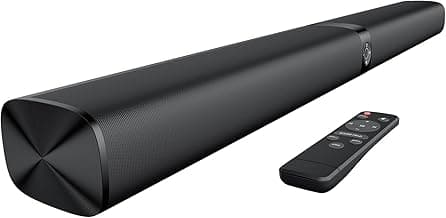
If you're comparing price-focused models, check our best budget soundbar recommendations. For a strict budget pick that still covers essential inputs and modes, the Sound Bar for Smart TV offers multiple input options and a small footprint at an entry-level price point.
FAQ
What features should I look for in the best gaming soundbar?
Prioritize low-latency connections and a dedicated Game Mode to keep audio in sync with fast on-screen action. Look for HDMI-ARC/eARC or optical inputs for the cleanest TV and console connections, plus Bluetooth or USB if you plan to use a PC or phone. A separate subwoofer or good bass tuning helps explosions and footsteps feel more immersive without muddying dialogue. Also consider room size and placement—compact soundbars are fine for desktop setups, while larger rooms benefit from multi-driver or surround-capable systems.
Will a gaming soundbar work with my PC, PS5, and Xbox Series X?
Yes—most modern soundbars support multiple inputs like HDMI, optical, USB, and Bluetooth so you can connect a PC and consoles without swapping devices constantly. For PCs, USB or Bluetooth gives plug-and-play simplicity, while consoles often perform best over HDMI-ARC or optical when available. If you want a compact, PC-friendly option with spatial tuning for games, consider the Razer Leviathan V2 as an example of a multi-device gaming soundbar. Always check your device’s output options and the soundbar’s input list before buying.
Does Dolby Atmos matter for gaming soundbars?
Dolby Atmos can add vertical spatial cues that make environments feel more three-dimensional in supported games, which boosts immersion for single-player and cinematic titles. However, many competitive games rely more on clear, accurate stereo or surround imaging for footsteps and directional cues, so Atmos is not essential for esports play. If your games and console support Atmos and you enjoy immersive soundscapes, it’s a worthwhile feature; otherwise prioritize clarity, low latency, and a good center channel. Also remember that room acoustics and speaker placement affect Atmos performance more than the label itself.
Can a soundbar replace a gaming headset for competitive play?
Generally no—headsets give precise, close-range positional audio and a built-in mic for team communication, which is crucial in competitive games. Soundbars are better for shared listening, single-player immersion, and casual multiplayer where a microphone isn’t required. If you care about spotting exact enemy direction or communicating with teammates, pair a headset for competitive sessions and use the soundbar for relaxed play or when others are watching. See our best gaming headsets picks for competitive options. You can also use both if your setup allows switching outputs quickly.
What is the best budget gaming soundbar that still performs well?
On a tight budget, look for a soundbar that offers multiple inputs (AUX/optical/Bluetooth), a game or bass mode, and clear dialogue reproduction rather than heavy bass or flashy lights. Affordable models can still deliver a big upgrade over TV speakers, especially if they include a subwoofer or a detachable design for desktop use. For a low-cost, versatile option that covers TV and PC gaming basics, consider the Budget TV Sound Bar. Read recent user reviews to confirm latency and connection reliability before buying.
Final Verdict
Across tests the strongest gaming soundbars stood out for low-latency connectivity, clear mids for dialogue, and tight bass that retained detail at high volume. For a wider set of recommendations beyond gaming-focused models, consult our best soundbar guide. Weaker options lacked reliable HDMI-ARC/eARC support, usable EQ presets, or enough power for bigger rooms. Prioritize low input lag, multiple wired inputs (HDMI-ARC/optical), and either a built-in or external subwoofer. The best-performing soundbars combined precise dialogue, responsive bass, and flexible connections for consoles and PC.
🏆 Best Overall: Bose TV Speaker — Compact Soundbar with HDMI-ARC & Bluetooth
💰 Best Budget: Detachable Sound Bar — Bluetooth, ARC, AUX
⭐ Best Premium: ULTIMEA Poseidon M60 5.1CH Dolby Atmos Soundbar