Buying Guide
Screen size and aspect ratio: wide vs ultrawide
Sim racing benefits from a wide field of view that mimics real peripheral vision. Ultrawide 21:9 or 32:9 panels (and curved variants) give a more immersive cockpit feel and reduce the need to pan the camera. Standard 16:9 27–32" monitors can still work well if you prefer sharper pixels and a smaller footprint. For model recommendations, see best ultrawide gaming monitors for sim racing.
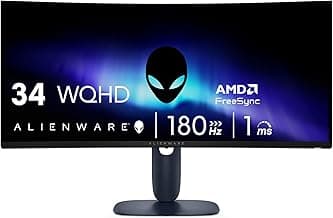
- Choose ultrawide (3440×1440) when you want more horizontal FOV for track awareness. A 34" curved ultrawide like the Sceptre 34-Inch Curved Ultrawide is a common balance between size and price.
- Pick 27–32" 16:9 if you need higher pixel density or have limited rig space; these are easier to pair with a single high-refresh monitor and steering wheel setup.
Resolution and pixel density: clarity vs GPU cost
Higher resolution makes instrument clusters, mirror detail, and HUD elements easier to read, but increases GPU load. 1440p (QHD) is the sweet spot for many sim racers—clear visuals without the full performance hit of 4K. Ultrawide WQHD (3440×1440) gives more horizontal detail but demands more VRAM than 16:9 QHD. Check our picks for best 1440p ultrawide gaming monitors.
- Go 4K only if your GPU can sustain the framerate you want; otherwise you’ll compromise refresh rate or need aggressive downscaling.
- If you want high resolution plus a large panel, consider a premium 4K option such as the Acer Nitro 27" 4K UHD, but check GPU requirements first.
Refresh rate, response time and adaptive sync
Smooth frame pacing and low latency are critical for steering precision. Higher refresh rates reduce perceived input lag and motion blur; 144–180Hz is a practical target for most sim racers, while pro setups may push to 240Hz. Low response times (1ms or lower) reduce ghosting during quick camera or steering movements.
- Adaptive sync (G-Sync or FreeSync) prevents tearing and maintains smoothness when frame rates fluctuate—particularly helpful with detailed sims that tax the GPU.
- For competitive or professional-level sim racing, consider high-refresh, low-latency panels such as the Acer Predator X27U that combine high Hz with advanced color and latency features.
Curvature and field of view tuning
Curved monitors help wrap the image around your vision, reducing edge distortion and making track-side objects easier to judge. Stronger curvature (closer to 1000R) is better for single-monitor immersion and matches the human eye’s natural field of view, while milder curves (1500R–1800R) are subtler.
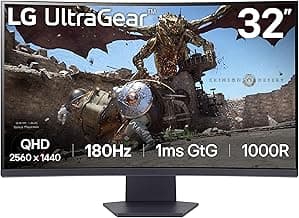
- If you sit close to the screen and want a cockpit-like experience, look for tighter curvature. A 1000R curved 32" panel such as the LG 32GS60QC 32" 1000R is aimed at immersive driving.
- If you pair multiple monitors or prefer a more traditional look, a flatter 27"–32" display may be preferable.
Inputs, ergonomics and extras
Make sure the monitor has the ports you need—DisplayPort for high-refresh PC connections, HDMI 2.1 for next-gen consoles, and USB-C if you want single-cable connectivity for a laptop. Ergonomic stands with height, tilt and swivel adjustments are important to align the screen correctly with your wheel and seating position. For dedicated audio peripherals, see best gaming headsets.
- VESA mount compatibility is useful if you plan to mount the monitor to a rig or monitor arm.
- Extras like built-in speakers, HDR, or a center-mounted USB hub are handy but secondary to panel performance—prioritize refresh, response and sync first. If you prefer external audio, check best gaming soundbar.
Budget and matching the monitor to your rig
Match your monitor choice to your GPU and racing goals. A high-refresh ultrawide looks and feels fantastic but needs a powerful GPU. If you have a midrange card, a 1440p 144–180Hz panel offers the best balance of smoothness and detail. If you’re building a budget-friendly rig, prioritize refresh rate and adaptive sync on a 27" 1440p or 24–27" 1080p monitor rather than chasing a large ultrawide or 4K. If you’re prioritizing price, see best ultrawide gaming monitors under $1000.
- Decide whether immersion (ultrawide/curved) or pixel clarity (4K/16:9) matters more for your setup and wallet.
- Plan for future upgrades—if you expect to upgrade your GPU soon, buying a higher-resolution or higher-refresh display now can extend the life of the monitor with that future hardware.
FAQ
What monitor size and aspect ratio work best for sim racing?
For most sim racers a 34-inch ultrawide strikes the best balance between field of view and cockpit immersion without needing multiple panels. Ultrawide 3440×1440 displays give a wide horizontal view that matches many wheel and seat setups. If you have limited desk depth or a smaller rig, a 27–32 inch 16:9 monitor still provides excellent clarity and higher pixel density. For a practical ultrawide example that’s popular with sim racers, consider the Sceptre 34-Inch Curved Ultrawide Monitor.
Is an ultrawide monitor better than a triple-monitor setup for sim racing?
Ultrawide monitors are generally simpler to set up and avoid bezel interruptions across your field of view, so they’re a great choice if you want immersive visuals with less fuss. Triple-monitor rigs can deliver a wider overall view but require more GPU power and careful mounting to reduce seam distractions. Many racers prefer ultrawide for its single-panel continuity and easier compatibility with mounts and cockpits. If you want a compact ultrawide option to compare, the LG 34-inch Ultragear models are worth checking out as real-world examples.
Do I need a curved monitor for sim racing?
Curved screens help wrap the image around your peripheral vision, which can increase immersion and make lateral movement feel more natural in a sim cockpit. They also reduce the need for head rotation to see corners at the edges of the screen, which many drivers find more comfortable during long sessions. Curvature is most noticeable and beneficial on ultrawide panels; on standard 16:9 monitors it’s less critical. If you prefer a flat look or use a very wide multi-monitor array, a curve is optional rather than essential.
What resolution and refresh rate should I look for in a sim racing monitor?
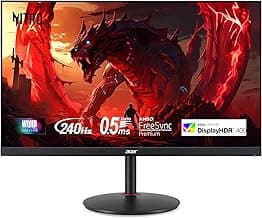
For a good balance of visual detail and performance, WQHD (1440p) is the sweet spot for sim racing—sharp enough for cockpit instruments while not as GPU-taxing as 4K. Higher refresh rates (120Hz–240Hz) improve the feel of motion and steering input, especially with force-feedback wheels and high frame-rate rigs. Make sure the monitor supports adaptive sync (FreeSync or G-Sync compatibility) to reduce tearing in fast turns. Budget-focused WQHD gaming monitors like the Acer Nitro 27" models offer high refresh rates and HDR for a solid starting point.
Which monitor should I choose for a professional-level sim racing setup?
If you want pro-level color accuracy, ultra-fast response and the smoothest motion for competitive racing, a high-end QD-OLED or similar pro panel is the top choice. These panels combine very low response times and wide color gamuts, which helps with visibility of track details and consistent picture quality during long events. For a strong professional example, consider the Acer Predator 26.5" QD-OLED which targets high refresh, extremely low latency, and wide color coverage. Pairing a display like this with a powerful GPU will deliver the most consistent competitive experience. For other top-tier choices consult best premium ultrawide gaming monitors.
Final Verdict
After testing the field, the strongest sim-racing monitors stood out for a clear combination: high native resolution or ultrawide format, fast refresh and low response, and reliable connectivity for steering-wheel rigs and consoles. Weaker options traded one of those pillars for price and showed visible compromises in motion clarity or port selection. Prioritize resolution/curve for immersion, refresh/latency for competitive inputs, and DisplayPort/HDMI 2.1 or multiple inputs for flexibility. The best-performing monitors all paired crisp panels with responsive refresh rates and the ports needed for a dedicated sim setup.
🏆 Best Overall: Sceptre 34-Inch Curved Ultrawide WQHD 180Hz 1ms (C345B-QUT168)
💰 Best Budget: Acer Nitro 27" WQHD 240Hz IPS (XV272U W2bmiiprx)
⭐ Best Premium: acer Nitro 27" 4K UHD 160Hz (VG270K V4bmiipx)