Buying Guide
Sound quality and spatial audio
Sound is the most important factor for gaming headsets: you want clear mids for dialogue, punchy lows for explosions, and reliable positional cues for competitive play. Look for headsets that advertise multi-channel or virtual surround (often labeled 7.1) and consider driver size if the manufacturer lists it — larger drivers often deliver fuller bass and wider soundstage. For platform-specific guidance, check our best gaming headset for pc guide.
- Tip: If you play competitive shooters, prioritize accurate imaging over boosted bass so footsteps and gunfire are easy to localize.
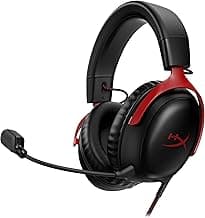
- Example: The HyperX Cloud II is a commonly recommended option for players who want 7.1 surround and a balanced, game-focused sound signature.
Comfort and long-session fit
Headset comfort affects how long you can play without fatigue. Pay attention to earcup size and padding material (memory foam is common), headband design, and overall clamping force. If you wear glasses, look for softer, shallower earcups or models noted for low clamp pressure. For recommendations focused on comfort and long wear, see our best headphones roundup.
- Try to find reviews that mention heat buildup and weight — lighter headsets and breathable materials are better for marathon sessions.
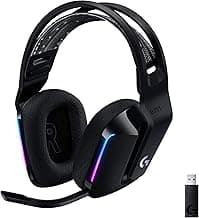
- Example: The Logitech G733 highlights a suspension-style headband and lightweight build designed for extended use.
Connectivity and platform compatibility
Decide whether you need wired or wireless. Wired headsets avoid battery concerns and typically offer universal compatibility via 3.5mm or USB. Wireless models add freedom of movement but check the connection type — USB dongles (2.4GHz), Bluetooth, or proprietary base stations — and confirm compatibility with your platform (PC, PlayStation, Xbox, Switch). If you prefer wireless, our best wireless gaming headsets guide covers dongles, Bluetooth and low-latency options.
- Look for tri-connect or multi-platform support if you plan to use the headset across consoles and mobile devices.
- Example: For flexible connectivity options, consider the Logitech G522, which advertises multiple connection modes.
If you primarily use PlayStation, check best gaming headset for ps5 for PS5-compatible picks and notes about USB/dongle support.
Microphone quality and communication features
A clean, intelligible mic is essential for team play. Prioritize headsets with noise-canceling or AI-enhanced mics if you frequently play in noisy environments. Features like flip-to-mute, detachable mics, or dedicated mute buttons add convenience.
- Listen for tests that evaluate background noise rejection and vocal clarity rather than just marketing phrases.
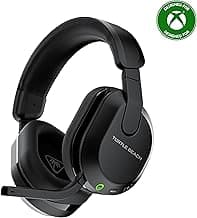
- Example: The Turtle Beach Stealth 700 Gen 3 includes an AI noise-cancelling microphone aimed at clearer voice pickup in multiplayer sessions.
Battery life, extras and value
For wireless headsets, battery life is a practical concern — longer runtimes mean less frequent charging. Also weigh software features (EQ presets, surround tuning), build quality, warranty, and price to determine overall value.
- Consider how much you’ll use lighting, Bluetooth multipoint, or companion apps; these can add convenience but sometimes reduce battery life.
- Example: If long runtime is a priority, the Razer BlackShark V3 Wireless advertises extended battery life suitable for long play sessions.
If you're looking for wireless options on a budget, our best budget wireless gaming headsets guide can help you find long-run times without a premium price tag.
FAQ
Which gaming headset has the best surround sound for PC?
For the widest virtual soundstage look for headsets with advertised 7.1 or spatial audio and well-tuned drivers rather than relying on marketing alone. Headsets that include USB sound processing often deliver a clearer virtual surround image on PC, which helps locate footsteps and directional cues. If you want a reliable, widely recommended option with 7.1 and comfortable memory-foam pads, consider the HyperX Cloud II. Also test in-game with positional audio enabled and tweak EQ or surround settings to suit your preferences.
Are wireless gaming headsets good for competitive play?
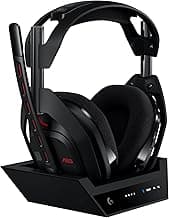
Wireless headsets can be excellent for competitive play if they use a low-latency 2.4GHz connection rather than Bluetooth for in-game audio. Battery life, comfort, and the dongle’s reliability matter more than whether a headset is wireless; pros often prefer a dedicated wireless link or wired mode when latency is critical. For pro-level features and a dedicated base station, look at high-end models like the Logitech A50 that prioritize low-latency 2.4GHz performance. If you need absolute minimal lag, use a wired connection when possible or choose a wireless model explicitly marketed for gaming-grade latency.
What's the best gaming headset under $100 right now?
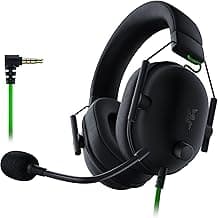
Under $100 you want solid driver performance, comfort, and a decent microphone without frills like expensive RGB or charging docks. Budget favorites often include wired options with 50mm drivers and virtual surround, which trade premium materials for better value. A dependable choice in this price range is the Razer BlackShark V2 X, which balances comfort, clear sound, and an affordable price point. Remember to compare wired versus wireless needs and consider platform compatibility before you buy.
How do I pick a headset with a good microphone for streaming?
For streaming prioritize a headset with a directional (cardioid) boom mic or a detachable boom you can position close to your mouth; that design reduces background noise compared with built-in omnidirectional mics. Look for models with software or hardware noise reduction and a clear frequency response that doesn’t over-emphasize sibilance. Test the mic on a recording or stream and listen back to judge clarity and room noise, and use a simple pop filter or foam cover to tame plosives. If you outgrow a headset mic later, a separate USB or XLR microphone is an easy upgrade path for streamers.
Will a gaming headset work across PC, PS5, and Nintendo Switch?
Most modern headsets with a 3.5mm jack will work across PC, PS5, and Switch for basic stereo audio and microphone support, but feature parity can vary. USB or wireless dongles often provide extra features like surround sound or low-latency links on PC and may not be supported by consoles, so check compatibility notes before buying. If you need full feature access on multiple platforms, look for headsets that explicitly list multi-platform support or offer both 3.5mm and USB connectivity. Keep an inexpensive adapter or switchable cable handy if you plan to move the headset between systems frequently.
Final Verdict
After testing the field, the top headsets stood out for consistent audio clarity, reliable low-latency connections, durable construction and comfort for long sessions. The weakest options cut corners on mic clarity, battery/reliability or padding. Prioritize clear positional audio (driver quality or surround), a noise-managing mic, solid wireless dongle or wired latency, and comfortable earcups—those traits defined the best-performing headsets.
🏆 Best Overall: HyperX Cloud II — 7.1 Surround Sound
💰 Best Budget: Logitech G733 Lightspeed Wireless
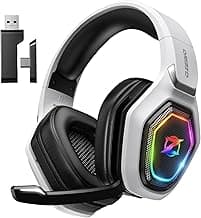
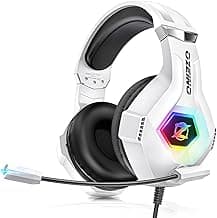
⭐ Best Premium: Ozeino 2.4GHz Wireless — Lossless Audio