Buying Guide
Sound quality and spatial awareness
For PC gaming, audio clarity and positional cues are often more important than loud bass. Look for headsets with well-balanced drivers and support for virtual or hardware surround formats (7.1 or DTS). See our best gaming headsets roundup for models with balanced staging. A clear midrange helps with footsteps and voice, while an accurate high end preserves detail without fatigue.
- Check driver size and tuning notes in reviews rather than raw numbers alone.
- If you play competitive shooters, prioritize precise imaging over heavy bass.
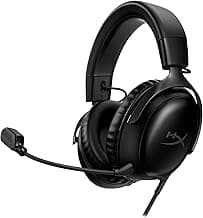
- For an example of a balanced, widely recommended model, consider the HyperX Cloud II, which many users cite for its dependable 7.1 virtual surround and clear staging.
Microphone quality and team communication
A good mic is critical if you play team-based games. Focus on mic clarity, noise suppression, and how easy it is to mute. Removable or flip-to-mute boom mics give flexibility for streaming and solo play. Remember that software processing (like Blue VO!CE or companion apps) can improve perceived quality.
- Look for a unidirectional boom mic or clear noise-cancelling design to reduce background noise.
- Record a short clip or test voice chat when possible to judge intelligibility.
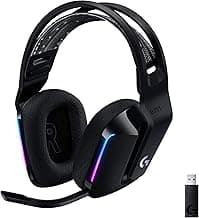
- If mic quality is a priority, the Logitech G Pro X is a strong example that includes accessory mics and voice-processing features aimed at clearer team comms.
Comfort, fit, and long sessions
Comfort determines whether a headset is usable for marathon sessions. Evaluate clamping force, headband padding, ear cup material (fabric vs. leatherette), and weight. Memory foam ear pads and an adjustable headband typically improve comfort, but personal fit varies—lighter headsets often feel better over long periods. If you're shopping on a tighter budget, our best budget gaming headsets guide highlights comfortable, affordable options to consider.
- Prefer models with replaceable ear pads and an adjustable suspension or padded headband.
- Try to find measurements or hands-on impressions if you wear glasses—some designs press on temples more than others.
- Consider breathability: fabric or perforated pads reduce heat buildup compared with solid leatherette.
Wired vs. wireless: latency, battery life, and convenience
Wired headsets offer predictable latency and power-free use; wireless adds freedom but introduces battery management and potential wireless interference. For competitive play or low-latency needs, wired or 2.4 GHz low-latency wireless tends to be preferable. If you choose wireless, check real-world battery life and whether the headset supports wired fallback for when the battery dies — and consult our best wireless gaming headsets for top-rated options and how they perform in practice.
- For frequently mobile setups, look for headsets with long battery life and fast charging.
- Check whether Bluetooth is supported alongside a low-latency dongle for multi-device use.
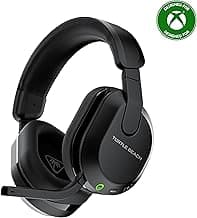
- As an example of a long-battery, multiplatform wireless option, the Turtle Beach Stealth 600 highlights the trade-offs between convenience and potential wireless constraints.
Compatibility, software, and extra features
Make sure the headset supports your primary platform (PC, USB sound card, 3.5mm jack, or console). If you mostly play on PlayStation, our best gaming headset for ps5 guide can help you narrow down compatible options. Companion software can add useful EQ presets, mic processing, surround virtualization, and firmware updates. Decide which extras matter: RGB lighting, detachable cables, swappable ear pads, or onboard controls can be helpful but add cost.
- Confirm plug type (USB, 3.5mm, USB-C, or wireless dongle) for your setup before buying.
- Read about the companion app—good software can salvage middling hardware with EQ and mic tuning.
- Create a short checklist of must-have features (platform compatibility, detachable mic, software EQ) to narrow options quickly.
If you prefer compact, in-ear options for mobile play, also consider our best gaming earbuds picks for situations where a full headset isn’t ideal.
FAQ
What is the best gaming headset for PC right now?
For most PC gamers you want a headset with clear drivers, comfortable pads, and reliable mic performance; the HyperX Cloud II is a consistent top pick for that balance. If you prefer wireless or RGB features there are good alternatives, but the Cloud II hits the sweet spot for sound, comfort, and build quality. Look for features like replaceable padding, a solid frame, and wide compatibility with PC audio setups. Try to test fit and mic clarity before committing if you can.
Should I choose a wired or wireless gaming headset for PC?
Wired headsets generally give slightly lower latency and don’t need charging, which matters for competitive play, while wireless models offer a cleaner desk and more freedom of movement. Consider how you use your PC: if you sit close and prioritize response, wired is sensible; if you value convenience and couch gaming, wireless makes sense. Battery life, range, and whether the headset uses a USB dongle or Bluetooth are important practical differences to check. Also confirm microphone quality and any software features that only work on one connection type.
Does surround sound matter for PC gaming headsets?
Virtual surround (often marketed as 7.1) can improve positional cues in shooters and large-scale games, but good stereo imaging on quality drivers can be nearly as effective for many players. Some headsets ship with virtual surround software that you can toggle on or off depending on the game and your preference. If you play competitive FPS titles, prioritize driver clarity and low latency over fancy processing, while single-player or cinematic games can benefit from surround effects. Sample a headset’s imaging in-game or via demos to judge how useful the effect is for your playstyle.
How do I pick a comfortable headset for long PC gaming sessions?
Comfort comes down to weight, clamping force, and ear pad material—look for memory foam or breathable fabric pads and an adjustable headband to spread pressure evenly. Lighter headsets with a flexible frame reduce fatigue, and replaceable pads are a practical bonus for long-term comfort. If you wear glasses, check for looser clamping or try a model known for gentle pressure around the temples. Read user feedback on long-session comfort since manufacturer specs don’t always reflect real-world wear.
Can I use a PC gaming headset on consoles and mobile too?
Many modern gaming headsets are multi-platform and will work with PC, PlayStation, Xbox, and mobile via 3.5mm jack, USB, Bluetooth, or USB dongle, but compatibility can vary by feature. Voice chat features or surround sound often require specific software that may be PC-only, so check which functions carry over to consoles or phones. If cross-platform use matters, choose a headset with multiple connection options like 3.5mm plus wireless or Bluetooth. Always verify the headset’s listed compatibility to avoid losing key features on other devices.
Final Verdict
After comparing top headsets, the winners separated themselves with consistent audio imaging, clear voice pickup and comfortable long‑wear fit; weaker options dropped one of those pillars. Prioritize accurate surround or driver performance, a noise‑handling mic, durable construction and low‑latency wireless or reliable wired connection. The best headsets combined comfortable ear pads, dependable connection and simple on‑device controls — the package that delivers repeatable positional audio and dependable in‑game communication.
🏆 Best Overall: HyperX Cloud II — 7.1 Surround Sound Gaming Headset
💰 Best Budget: Turtle Beach Stealth 600 Wireless Gaming Headset — 80‑Hr Battery
⭐ Best Premium: Logitech G325 Lightspeed Wireless Gaming Headset — 24+ Hr Battery