Buying Guide
Sound signature and driver type
For gaming earbuds, the sound signature determines how well you hear footsteps, gunfire and environmental cues. Look for a balanced or slightly bass-forward tuning for immersive games, and a clear midrange for voice and in-game dialogue. Driver configuration (single dynamic, hybrid BA+DD, dual drivers) affects clarity and separation — hybrids and multi-driver designs often offer greater detail but can be pricier.
- What to check: clarity of highs, presence of mids (voices), and tightness of bass for positional cues.
- Example: The TRUTHEAR x Crinacle Zero is a dual-driver IEM often recommended for its detailed tuning, making it a good all-around pick for competitive and immersive play.
Latency and connectivity
Low latency is critical when gaming, especially in fast-paced online titles. For wired earbuds, latency is negligible; for wireless models, look for gaming-focused low-latency modes, 2.4 GHz dongles, or Bluetooth codecs that prioritize speed. Also consider how you’ll connect (PC, console, mobile) and whether a dedicated wireless receiver or Bluetooth multipoint is required. For more wireless options, see best wireless earbuds.
- Wired vs wireless: wired for absolute low latency; wireless for convenience but check the “gaming mode” specs.
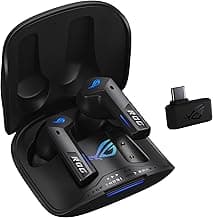
- Example: If you want a wireless option with low-latency features and long battery life, the ASUS ROG Cetra is often highlighted for its low-latency modes and ANC—useful when switching between gaming and everyday listening.
Fit, comfort and isolation
Earbuds that seal well deliver better bass and isolation, which improves positional audio. Comfort matters for long sessions — look for multiple eartip sizes, ergonomic nozzles, and lightweight housings. If you need situational awareness or prefer ambient sound, choose models with venting or transparency modes. For portable picks that prioritize comfort and connectivity, check best bluetooth earbuds.
- Try to get a variety of ear tip materials (silicone and memory foam) to find the best seal.
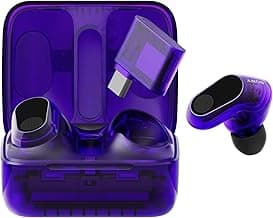
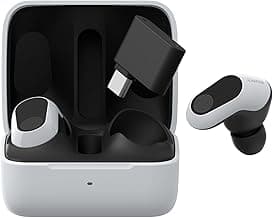
- Example: For pro-level comfort and tuned spatial sound for FPS games, consider the Sony INZONE E9, which is designed with comfort and sound isolation in mind.
Microphone quality and in-line controls
Clear voice communication is essential for team-based games. If you play competitively, prioritize earbuds with a dedicated mic or detachable cable that keeps your voice present and noise-free. In-line controls or touch controls should be responsive and let you mute quickly without fumbling through menus.
- Look for noise reduction for the microphone and easy-access mute/playback controls.
- If you record or stream, a detachable or external microphone often outperforms tiny built-in mics.
Durability, battery life and platform compatibility
Think about how and where you game. Sweat- and water-resistance ratings matter for portable use and long sessions. For wireless earbuds, battery life and charging options (USB-C, wireless charging) dictate uptime between sessions. For wired users, detachable cables and replaceable cables improve longevity.
- Check IP ratings for sweat and water resistance if you play on the go.
- Wired earbuds: prefer MMCX or detachable cables for easier replacement; wireless earbuds: aim for 6+ hours per charge and a carry case that adds extra charges.
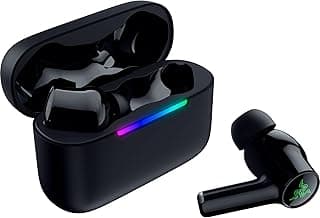
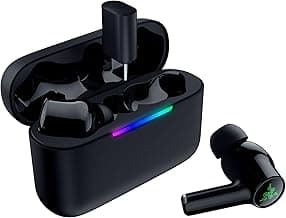
- Value tip: models like the SteelSeries and Razer lines balance battery features and platform support, so match compatibility to your primary device (PC, Switch, mobile, console). If you’re on a budget, see best budget gaming headsets for affordable choices.
FAQ
Are gaming earbuds better than gaming headsets for competitive play?
Earbuds can be better if you prefer a low-profile setup, lighter weight, and easier portability, while best gaming headsets usually offer larger drivers and built-in microphones optimized for team chat. For many players, high-quality earbuds give surprisingly precise imaging and less heat around the ears, which helps in long sessions. If you want a compact, high-detail option, consider a well-reviewed wired IEM like the TRUTHEAR x Crinacle Zero as an example of an all-around pick. Just make sure your ears fit the tips well, because isolation and seal strongly affect positional audio. Don’t forget to check mic quality and latency for the platform you play on.
Do I need low-latency earbuds for console or PC gaming?
Yes—low latency matters more for fast-paced games where audio timing affects performance or reaction time. Wireless earbuds often include a low-latency mode or a dedicated dongle to reduce sync issues; if you prefer wireless, look for models that advertise gaming modes (compare our best wireless gaming headsets). For budget wireless options that still focus on gaming features, the ASUS ROG Cetra True Wireless is a practical choice that balances latency and convenience. If you play casually or only use earbuds for chat, wired options will always give the lowest possible delay. Test with your platform (PC, Switch, console) to confirm audio and voice sync before relying on them in competitive play.
What features should I prioritize when buying the best gaming earbuds?
Prioritize fit and comfort first—earbuds that seal well deliver better bass and positional cues. Next, decide between wired (zero latency, simpler compatibility) and wireless (freedom of movement, potential latency). Check for a decent inline or detachable microphone if you need voice chat, and consider durability features like reinforced cables or detachable connectors for long-term use. Driver type matters but don’t get hung up on numbers; read real-user feedback about clarity and bass balance for the games you play.
Can musician-focused IEMs work well for gaming and voice chat?
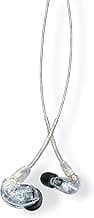
Yes—musician IEMs often have accurate, detailed sound that can reveal subtle in-game cues, but many lack a dedicated mic for team chat. If you want studio-like clarity and plan to use a separate mic or mixer, a hybrid IEM can be a great audio upgrade for gaming. For a plug-and-play wired option with strong sound and a detachable cable, the CCA CRA is a solid runner-up example to consider. Just confirm how you'll handle voice chat: an inline mic adapter or standalone microphone will be necessary for multiplayer communication. Make sure the fit and isolation match your comfort needs during long sessions.
How do I clean and maintain gaming earbuds to keep them sounding good?
Regularly remove and wash silicone or foam tips according to the manufacturer’s instructions to prevent earwax buildup and odor. Gently wipe the earbuds and cable with a slightly damp cloth and use a soft brush or toothpick to clear mesh grilles—avoid pushing debris further into the driver. Store earbuds in a case when not in use to prevent tangles and physical damage, and replace worn tips or cables (if detachable) to restore fit and sound. Finally, avoid exposing them to moisture or extreme heat, and check connections periodically for corrosion or looseness.
Final Verdict
After testing the field, the top gaming earbuds stood out for delivering cue‑focused clarity, dependable low‑latency connections, and secure, comfortable fits that keep isolation during long sessions. Prioritize driver configuration and tuning, low latency for competitive play, microphone clarity, and fit/finish when choosing. The best performers all combined balanced mids for voice cues, controlled bass for impact, and a reliable physical fit — practical strengths that improve in‑game awareness and consistency.
🏆 Best Overall: TRUTHEAR x Crinacle Zero RED Dual Dynamic Gaming Earbuds
💰 Best Budget: ASUS ROG Cetra True Wireless Earbuds Low‑Latency ANC
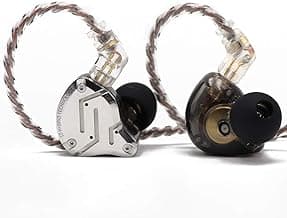
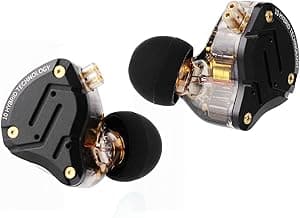
⭐ Best Premium: KZ ZS12 PRO 5BA+1DD Hybrid Driver Gaming IEM