Buying Guide
Sound quality vs. price: what to expect
On a strict budget you won’t get the deep, room-filling bass or the multi-channel separation of higher-end systems, but you can still get clear dialog and punchy mids that dramatically improve TV sound. Look for a soundbar that emphasizes voice clarity and has a simple EQ or “voice” mode—these features make dialogue easier to follow without boosting volume to uncomfortable levels. If you later consider stepping up, see our best soundbar guide for higher-end options.
- Prioritize clarity over heavy bass; a compact 2.0 or 2.1 soundbar that reduces muddiness will usually sound more satisfying for TV and streaming.
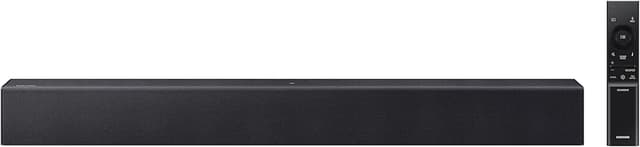
- Consider a budget model known for balanced sound—for example, the Sony S100F is often recommended for affordable, clear TV audio in compact setups.
Connectivity: matching inputs to your TV and devices
Check the inputs on both the soundbar and your TV before you buy. Optical and HDMI ARC are the most useful connections for TV audio because they support better synchronization and simpler control with your TV remote. Bluetooth is handy for phone or tablet streaming but can introduce small latency with video. If wireless features are important, check our best wireless soundbar roundup.
- HDMI ARC/CEC lets you control volume and power with one remote—if your TV supports it, prioritize soundbars with ARC.
- If you use a streaming stick or older TV, ensure an optical (Toslink) input is available.
- For desktop or gaming use, a dedicated AUX or USB/PC input can simplify connections.
Size and placement: picking the right footprint
Soundbar width and depth matter. A bar that’s too small can look and sound out of scale with a larger TV; one that’s too long may obstruct the TV stand. Measure the space in front of or below your TV and choose a soundbar that won’t block sensors or the remote’s IR receiver.
- For small living rooms or bedrooms, compact models are more practical and often cheaper. We profile compact wireless options in the best budget wireless soundbar list.
- Decide whether you need wall-mount capability—many budget bars include mounting brackets, but confirm the mounting pattern.
- Check power requirements and whether the unit uses an external adapter; compact units often use an AC adapter which can be easier to hide.
Bass options: built-in vs. external subwoofers
Bass performance is one of the main differences between budget soundbars. Some compact models rely on bass-reflex ports or DSP processing to simulate depth, while others include an external wired or wireless subwoofer for fuller low end. An included subwoofer will usually give noticeably better movie and music bass but increases footprint and cost.
- If you watch a lot of action movies or play bass-heavy games, prioritize models sold with a subwoofer or that offer a sub output—also consider the best gaming soundbar recommendations.
- If space is limited, choose a soundbar with good bass tuning and a bass-reflex design rather than expecting deep subwoofer-level lows.
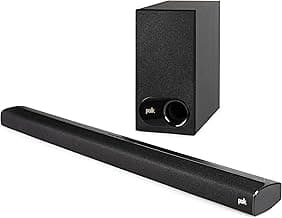
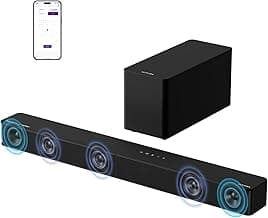
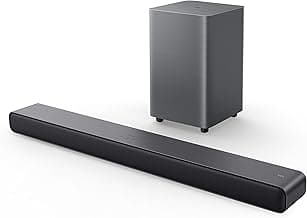
- Examples: compact single-piece bars can be great for TV dialogue; 2.1 packages are preferable when you want more impact.
Features, controls, and long-term use
On budget models, small extras can add a lot of everyday convenience. Look for simple, reliable controls, a clear remote, and basic EQ presets. App control and frequent firmware updates are rarer at lower price points, so check user reviews for reliability and how easy the unit is to set up.
- Prioritize a soundbar with a straightforward remote and labeled inputs—complex setups are more frustrating on low-cost units.
- EQ presets (movie, music, voice) let you tailor sound quickly without advanced DSP knowledge.
- Read reviews for long-term reliability—some budget bars offer good value but vary in build quality and customer support.
FAQ
What is the best budget soundbar for most people?
The best budget pick balances clear dialogue, easy setup, and reliable connections without costing much. For many buyers the Sony S100F is a strong choice because it’s compact, delivers focused midrange for TV dialogue, and pairs easily with Bluetooth. It won’t match a full home theater system, but it noticeably improves TV sound over built-in speakers. If you need deeper bass or more power, look at 2.1 systems with a separate subwoofer instead of expecting big low-end from a compact unit.
How much should I expect to spend on a good budget soundbar?
“Budget” covers a wide range: you can find usable compact soundbars for under $50 and more feature-rich budget models around the $100 mark. Focus less on a precise price and more on the features you need—voice enhancement for dialogue, Bluetooth for streaming, and an optical or HDMI input for your TV. Spending a bit more often gets better drivers and louder output, but many inexpensive options will still beat a TV’s built-in speakers. Read recent user reviews to confirm reliability for the price.
Will a budget soundbar actually improve TV dialogue and movie sound?
Yes—most budget soundbars offer clearer dialogue and better stereo separation than TV speakers because they use dedicated tweeters and midrange drivers. Look for models with a “voice” or “dialogue” mode which boosts midrange frequencies where speech lives. For movies, virtual surround processing can widen the soundstage—see our best dolby atmos soundbar picks for affordable surround-like options—but don’t expect true surround without extra speakers. Placement and room acoustics also matter: a centrally placed bar at ear level will improve clarity the most.
Can budget soundbars connect to Bluetooth, optical, and HDMI ARC?
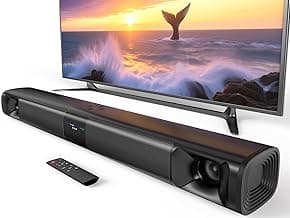
Many budget soundbars include multiple inputs such as Bluetooth and optical, and some add HDMI ARC for simplified TV control and better audio pass-through. Typically only one input is active at a time, but switching between them is straightforward via the remote or auto-detect. If you need all three options, check the product specs—for example the Bestisan 16" soundbar lists HDMI ARC, optical, and Bluetooth compatibility in its feature set. Also confirm that your TV’s ARC/eARC implementation matches the soundbar’s HDMI capabilities to avoid lip-sync or audio format issues.
How can I get the most bass from a budget soundbar without a subwoofer?
You can maximize bass by placing the soundbar against a solid surface or wall to reinforce low frequencies and by positioning it at ear level or slightly below. Use any built-in EQ or “bass boost” presets and try different listening modes to find the warmest balance without distortion. Keep expectation realistic—small enclosures can’t reproduce deep sub-bass, so if you want true low end consider adding an inexpensive powered subwoofer or choosing a 2.1 package. Finally, ensure the bar has enough power rating for your room size; underpowered units will distort when pushed for bass.
Final Verdict
The strongest budget soundbars stood out for reliable connectivity, clear midrange for dialogue, and balanced bass rather than inflated wattage numbers. Buyers should prioritize HDMI‑ARC or optical inputs, stable Bluetooth, simple EQ or dialogue modes, and a compact build that won’t rattle at higher volumes. Top performers consistently delivered natural vocals, controlled low end and dependable connections—giving a noticeably fuller TV experience without adding a separate subwoofer.
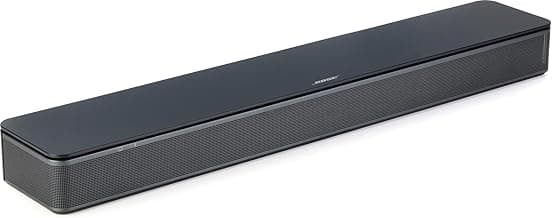
🏆 Best Overall: Bose TV Speaker — Compact soundbar with HDMI-ARC & Bluetooth
💰 Best Budget: Sony S100F 2.0ch Soundbar with Bass Reflex & Bluetooth
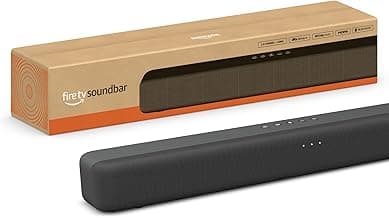
⭐ Best Premium: Amazon Fire TV Soundbar with DTS Virtual:X & Dolby Audio