Buying Guide
Sound quality: drivers, stereo vs. virtual surround
For the best budget gaming headsets, sound should be your starting point — clear dialogue, punchy footsteps, and positional cues matter more than studio-perfect bass. Look for driver sizes (40–50mm are common at this price), and whether the headset offers stereo or virtual 7.1 surround. Stereo can be cleaner and lower-latency for many gamers, while virtual surround can help with positional awareness in competitive play. For broader options, see best gaming headsets.
- What to check: driver size, frequency response (when listed), and whether the manufacturer uses a named surround codec (e.g., DTS or virtual 7.1).
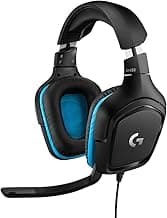
- Example: If you want a budget headset with virtual surround and DTS processing, consider the Logitech G432, which highlights DTS Headphone:X 2.0 support for immersive stereo-to-surround rendering.
Comfort and build for long sessions
Comfort is a make-or-break factor for marathon sessions. On-budget models vary a lot in clamping force, pad materials, and headband padding — memory foam and breathable fabrics usually beat thin leatherette after hours of wear. Also check the overall weight and how the ear cups swivel; lighter, well-padded designs reduce fatigue.
- What to check: ear cup size (over-ear preferred — see best budget over ear headphones), pad material, adjustable headband, and reported long-term durability in reviews.
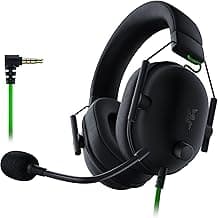
- Example: If memory-foam cushions and a lightweight fit are priorities, the Razer BlackShark V2 X is a budget-oriented option known for comfortable pads and a slim profile.
Microphone quality and communication features
A clear mic is essential if you play team-based games. Decide whether you want a fixed boom mic, a detachable mic for casual use, or a flip-to-mute design for quick privacy. Noise-cancelling or cardioid pickup patterns help reduce background noise, and a detachable or retractable mic adds versatility if you plan to use the headset for music or travel.
- What to check: mic type (boom vs. inline), noise reduction claims, muting method, and whether the mic is detachable or flexible.
- Tip: Read user reviews for mic clarity — manufacturer specs can be inconsistent at budget prices. For options focused on mic noise control and budget ANC, see best budget noise cancelling headphones.
Wired vs. wireless: latency, battery, and convenience
Wired headsets typically offer the most reliable audio and the lowest latency — ideal for competitive play or consoles without a dedicated wireless dongle. Wireless models add freedom of movement but introduce battery management and potential latency; look for 2.4GHz dongles for lower-latency connections and check advertised battery life if you game long hours.
- What to check: connection type (3.5mm, USB-A, USB-C, or 2.4GHz dongle), latency expectations, and battery runtime for wireless models.
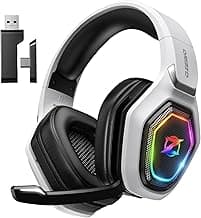
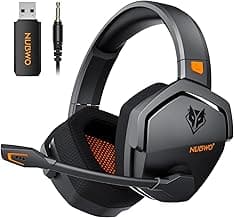
- Example: If you prioritize a wireless option on a budget, check best budget wireless gaming headsets. Compact wireless picks like the Ozeino 2.4GHz model advertise long battery life and small dongles for portability. The Ozeino 2.4GHz Wireless model advertises a focus on stable dongle-based connections and extended battery life for longer sessions.
Compatibility, extras, and long-term value
Confirm that the headset works with your platform (PC, PS5, Xbox, Switch, mobile). USB headsets can include software EQ or game/chat balance controls, while 3.5mm plugs offer plug-and-play cross-platform use. Consider build quality, warranty, and whether features like customizable RGB, detachable cables, or included adapters add real value for your needs.
- What to check: platform compatibility, included cables/adapters, available software, and warranty/return policy.
- Buying tip: prioritize the features you’ll actually use — a long warranty and comfortable fit often outweigh flashy RGB on budget headsets. If you're buying primarily for a Windows setup, see best budget gaming headset for pc for PC-focused recommendations and software-dependent features.
FAQ
What should I look for in the best budget gaming headsets?
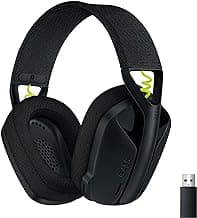
Prioritize comfort, clear audio, and a decent microphone since those factors matter most during long sessions. Wired headsets usually give better sound for the price, while USB options can add virtual surround and in-line controls. Look for memory-foam or soft earpads, a flexible mic, and compatibility with your console or PC before you buy. A reliable low-cost pick to check out is Logitech G432.
Are wired or wireless headsets better for budget gamers?
Wired headsets are usually better value because they avoid the added cost and battery trade-offs of wireless models. Wireless gives freedom of movement but can introduce pairing issues or latency on cheaper sets, so battery life and dongle stability matter. For competitive play or lower latency, stick with a wired connection; for casual play, a solid 2.4GHz wireless option can be convenient. Compact wireless picks like the Ozeino 2.4GHz model advertise long battery life and small dongles for portability.
Do budget gaming headsets support surround sound?
Many budget headsets offer virtual 7.1 surround through software rather than true multi-driver hardware, which can still help with directional audio. Virtual surround can improve positional cues in games, but it generally won’t match high-end Dolby or multi-speaker setups. If you care about accurate positioning, look for headsets that advertise DTS or Dolby support or provide customizable EQ and calibration. For most players on a budget, driver quality and comfort are more impactful than surround branding alone.
Will a budget gaming headset work with PS5 and Xbox Series X?
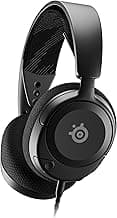
Most budget headsets with a 3.5mm plug will work directly with PS5 and Xbox Series X controllers, and many USB headsets work if the console supports USB audio. Check whether features like chat/game balance or surround require PC software that won’t run on consoles. Simple 3.5mm models such as the Glorious GHS Eternal are designed for broad compatibility across PC, PS5, Xbox, and Switch. If you want wireless console use, confirm the dongle or Bluetooth profile is supported by your console first.
How can I improve microphone quality on a cheap gaming headset?
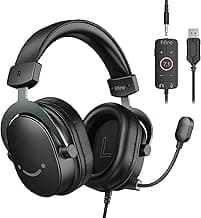
Position the boom close to your mouth but slightly off to the side to reduce breathing noise and speak at a steady level. Enable noise suppression, a noise gate, or automatic gain control in your platform’s voice settings to cut background sounds and even out volume. If the onboard mic is weak, consider a detachable boom or a small USB mic; several budget FIFINE models include noise-canceling mics that outperform basic built-ins. Finally, keep drivers updated and test levels in your chat software before joining a game.
Final Verdict
After testing the field, the best budget gaming headsets stood out for balanced audio, dependable voice pickup, and comfort for long sessions; weaker models traded one of those strengths for gimmicks or lightweight construction. Prioritize driver tuning and positional clarity, microphone noise rejection, earcup comfort, and the connectivity you actually use. The top performers all combined clear chat, stable in-game positioning, durable build quality, and plug-and-play compatibility so you get reliable results without overspending. For players who want wireless listening for both games and music, consider checking best budget wireless headphones for portable-friendly options.
🏆 Best Overall: BENGOO G9000 Stereo Gaming Headset — 7.1 Surround & Noise-Cancel Mic
💰 Best Budget: Logitech G432 Wired Gaming Headset — 7.1 Surround & Flip Mic
⭐ Best Premium: FIFINE AmpliGame H9 — 7.1 Dual-Connectivity Headset & Detachable Mic