Buying Guide
Dolby Atmos, channels, and what "budget" really means
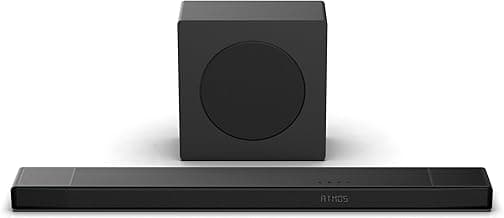
Dolby Atmos on budget soundbars usually comes in one of two forms: true multi‑channel hardware (dedicated up‑firing or rear drivers) or virtualized Atmos that simulates height with DSP. Don’t assume the label “Dolby Atmos” guarantees cinematic overhead effects — check the channel configuration (2.0, 2.1, 3.1, 5.1, etc.) and whether the bar has up‑firing drivers or a dedicated surround package. For full comparisons of systems and how they implement height channels, see best dolby atmos soundbar.
For a budget pick, balance expectations: a 2.0 or 2.1 Atmos bar can improve immersion and dialogue clarity, but complex object‑based overhead performance will be limited unless the system includes additional speakers or convincing virtualization.
Subwoofer and bass: built‑in vs. external
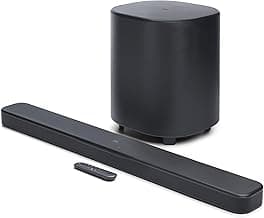
Bass is where many budget bars differ most. Built‑in subwoofers save space and cost but usually offer less low‑end extension than an external wireless sub. External subs deliver deeper, punchier bass for film and music, but add footprint and sometimes setup complexity.
- Choose a built‑in subwoofer if you want a compact, simpler setup.
- Choose an external (or upgradeable) subwoofer if you value deeper bass for movies and music.
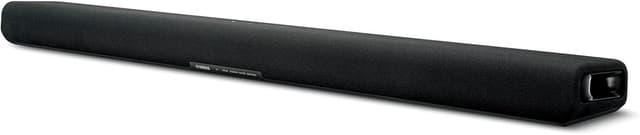
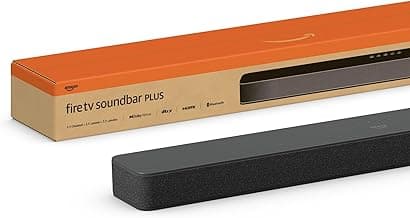
As an example of a compact option with integrated low‑end, consider the Amazon Fire TV Soundbar Plus, which blends a compact footprint with a built‑in subwoofer so you don’t need extra hardware. For more rounded budget recommendations that balance size and performance, see best budget soundbar.
Connectivity and TV compatibility
Connection options determine how you get Dolby Atmos and how simple the setup will be. Prioritize HDMI eARC if you want bitstreamed Dolby Atmos from streaming apps or a compatible TV. Optical and standard HDMI without eARC may limit you to compressed formats or stereo sound, so read the connection notes in the specs.
- HDMI eARC: best for full Dolby Atmos passthrough and highest quality audio.
- Optical/AUX: useful for older TVs but often won’t pass full Atmos streams.
- Bluetooth/Wi‑Fi: convenient for music streaming; Wi‑Fi or app support can add firmware updates and streaming apps.
Also check whether the bar supports pass‑through for HDR video if you route sources through it, and whether it has a simple app or remote for tuning sound modes. If wireless features and app-driven streaming are priorities, our best wireless soundbar guide highlights models with strong connectivity and multiroom/app support.
Size, placement, and room fit
Think about where the bar will live. A soundbar that’s too long can block a TV sensor or look awkward, while a very small one may struggle to fill a medium‑sized room. Measure the width of your TV and leave a few inches on either side when choosing a bar length.
- Wall‑mount vs. tabletop: confirm mounting hardware and clearance for up‑firing drivers if present.
- Room size: compact 2.0/2.1 bars suit small rooms; larger rooms benefit from additional speakers or a subwoofer.
- Controls and voice enhancement: look for night mode, dialogue boost, or a dedicated center‑channel EQ for TV watching.
For a broader look at options and how different sizes fit living rooms and media centers, consult our best soundbar overview.
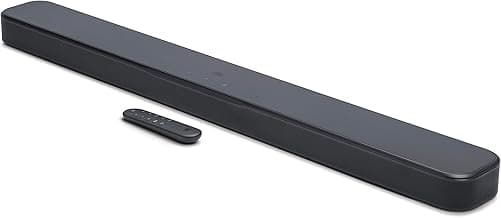
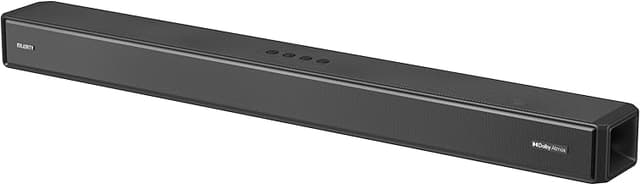
If you’re aiming for a small, budget friendly unit that still supports Atmos virtualization, the VIZIO SV200M‑08 is an example of a compact, affordable Atmos‑capable option worth comparing to larger setups.
Warranty, updates, and long‑term value
Budget buys should still offer reasonable support. Check warranty length, return policy, and whether the manufacturer provides firmware updates — these can fix audio bugs or add features. Refurbished or renewed options can be good value but verify the seller return window and any warranty differences versus new units.
Finally, prioritize features you’ll actually use (e.g., eARC, app control, voice pass‑through) over headline specs. A simple, reliable bar with good connectivity and decent bass will often deliver more day‑to‑day satisfaction than a cheaper model that sacrifices essential ports or support.
FAQ
What is the best budget Dolby Atmos soundbar I can buy?
If you want the best combination of Atmos decoding and value, consider the VIZIO 2.0 Soundbar (SV200M-08). It offers Dolby Atmos and DTS:X virtual processing at an affordable price, making it a sensible upgrade over built-in TV speakers. Expect clearer dialogue and a wider soundstage than your TV alone, though bass deepness will be limited without a subwoofer. For tight budgets this type of all-in-one bar gives the most noticeable improvement per dollar spent.
Does a budget Dolby Atmos soundbar really improve TV sound?
Yes—even budget Atmos soundbars typically deliver clearer dialogue, better imaging, and a more immersive soundstage than TV speakers. Many entry-level models use virtual height processing to simulate Atmos effects, which works well for movies and streaming. However, they can’t match a full Atmos speaker system for true overhead sound or deep bass without an external subwoofer. If you mainly watch TV and streaming, a budget Atmos bar is a practical and affordable improvement.
How do I get Dolby Atmos to work with a budget soundbar?
First, use the best connection available—HDMI eARC is preferred because it passes Atmos bitstreams intact; optical often doesn’t support Atmos. Make sure your TV audio output is set to bitstream or passthrough and that the streaming app/device is sending Atmos content. Update firmware on both TV and soundbar and enable any Atmos or surround modes on the bar’s app or remote. Finally, check source compatibility—not all streaming content or broadcasts include Atmos audio.
Are wireless subwoofers or external speakers worth it for a budget setup?
Adding a wireless subwoofer is often the most noticeable upgrade for a budget setup because it fills in low frequencies that small soundbars can’t reproduce. Wireless subs keep installation simple and maintain a cleaner look while delivering punch for movies and music. Just confirm compatibility and placement options—too-close placement can muddy sound and some budget bars don’t pair well with third-party subs. If you want clearer bass without a lot of wiring, a dedicated subwoofer is usually worth the extra cost.
What features should I prioritize when buying a cheap Dolby Atmos soundbar?
Prioritize HDMI eARC support, native Dolby Atmos (or convincing virtual Atmos), and a clear dialogue or Voice mode for TV shows. Look for Bluetooth or app control for music playback and firmware update support so the unit improves over time. Size matters—match the bar length to your TV for balanced imaging, and check whether a subwoofer can be added later. Finally, read real-user reviews to confirm performance and reliability for your budget range.
Final Verdict
After testing the budget Dolby Atmos options, the strongest products stood out for offering real Atmos processing, a dedicated subwoofer or taut low end, and reliable HDMI eARC or clear wireless connectivity—features weaker models skipped or implemented poorly. Prioritize true Dolby Atmos support, a subwoofer (or strong bass response), HDMI eARC for full-bandwidth audio, and simple app or remote tuning. The best-performing soundbars delivered balanced bass, clear dialogue, and consistent connectivity, giving noticeably wider, more immersive sound without breaking the bank. If you play fast-paced games as well as watch movies, consider our best gaming soundbar recommendations to match low latency and immersive effects.
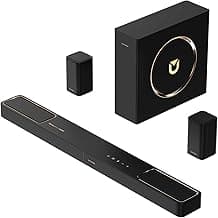
🏆 Best Overall: ULTIMEA Poseidon M60 5.1CH Dolby Atmos Soundbar w/Subwoofer
💰 Best Budget: VIZIO SV200M-08 2.0 Soundbar with Dolby Atmos
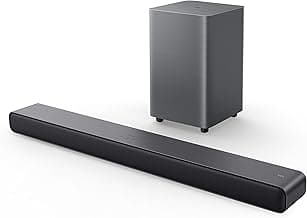
⭐ Best Premium: TCL S45H 2.0 Sound Bar with Dolby Atmos