Buying Guide
Resolution, aspect ratio, and pixel density
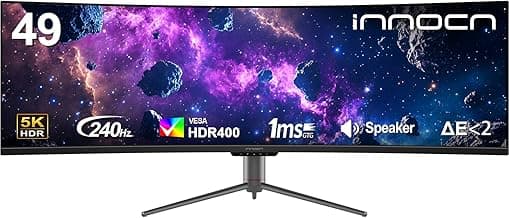
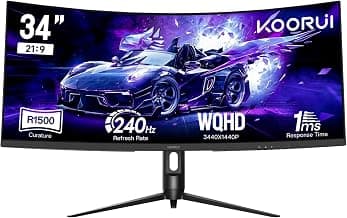
3440 x 1440 on a 21:9 ultrawide is what people mean by “1440p ultrawide.” It gives more horizontal workspace and wider field of view than a 16:9 1440p screen, but pixel density varies with panel size. A 34-inch ultrawide at 3440×1440 keeps sharp text and detailed game textures; a 49-inch DQHD (5120×1440) stretches the same vertical resolution across a much larger surface, which can look less dense unless you sit farther back. Match screen size to your typical seating distance: smaller desks benefit from 34"–35" panels, while larger setups work better with 49" or dual-monitor alternatives—PC users can also compare models in our best ultrawide gaming monitors for pc guide.
Refresh rate and response time
Higher refresh rates and low response times reduce motion blur and input lag, which is crucial for fast-paced competitive games. Look for at least 100–165Hz for modern ultrawides, and 240Hz+ only if your GPU and game type can consistently push high frame rates.
- Refresh rate: higher is smoother, but only useful if your PC can drive the frames.
- Response time: sub-5ms gray-to-gray is typical; look for lower values or OLED/QD-OLED panels if you want near-instant transitions.
- Adaptive sync: FreeSync or G-Sync compatibility prevents tearing without extra latency.
If you need top-tier speed and features, see our best premium ultrawide gaming monitors roundup.
For an example of a high-refresh ultrawide that balances features and price, consider the SANSUI 34" Curved UWQHD, which offers high refresh rates and HDMI 2.1 inputs for modern consoles and GPUs.
Panel type, color accuracy and HDR
Panel choice affects contrast, color gamut and motion handling. VA panels deliver deep blacks and contrast but sometimes slower pixel transitions; IPS variants offer wider viewing angles and color accuracy at slightly higher black levels; QD-OLED blends OLED contrast with quantum-dot color for best-in-class color and contrast.
- Color work and content creation: prioritize wide DCI‑P3/sRGB coverage and factory calibration.
- HDR: many monitors advertise HDR, but peak brightness and local dimming determine real HDR impact.
- Gamers who want exceptional contrast: consider QD‑OLED options for deeper blacks and vivid color.
If you're price-conscious but still want strong color and accuracy, check our best ultrawide gaming monitors under $1000 list for balanced options.
If you want a reference for QD‑OLED performance in ultrawide formats, see the Samsung 49" Odyssey G93SC (QD‑OLED) as an example of where color and contrast are dramatically better than standard LCDs.
Curve, screen size and immersion
Curve radius and panel width influence immersion and viewing comfort. Tighter curves (1000R) wrap the image around your field of view and suit close seating and single-seat gaming, while gentler curves (1500R–1800R) can feel more natural for wider desks or multi-window use. Consider how you use the monitor: ultrawide racing and sim setups benefit from immersive curves, while productivity-heavy workflows may prefer a milder curve or a flat 34" display to reduce distortion for straight lines. Ultrawide racing and sim setups benefit from immersive curves; our best ultrawide gaming monitors for sim racing guide highlights options tuned to those rigs.
Connectivity, ergonomics and practical extras
Check inputs and stand adjustments to match your setup. HDMI 2.1 and DisplayPort 1.4 cover high refresh-rate 3440×1440 at 100–240Hz; USB‑C with power delivery and KVM switches are convenient for single-cable laptop use. Adjustable stands (height, tilt, swivel) and VESA compatibility let you position the screen comfortably or mount it on arms. Built‑in speakers, picture-in-picture, and software calibration tools are useful extras but shouldn’t replace good audio or a proper colorimeter when needed.
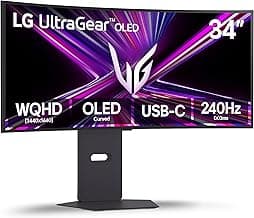
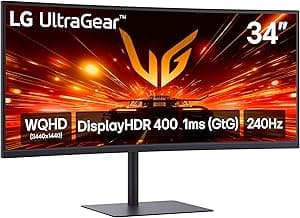
As an example of a monitor that balances connectivity and ergonomics, the LG 34G630A‑B Ultragear includes USB‑C, DisplayPort/HDMI, and a fully adjustable stand—handy if single-cable workflows or desk ergonomics matter to you.
FAQ
Which 1440p ultrawide monitor is the best pick for gaming?
The best 1440p ultrawide monitor balances high refresh, low response time, and good color accuracy for both fast games and immersive titles. For an all-around option that hits those marks, consider the SANSUI 34-Inch Curved Monitor, which is positioned as a strong overall choice. When comparing models, prioritize a fast panel and adaptive sync support to cut screen tearing and input lag. Also check connectivity and HDR performance so the monitor works well with both PC and other devices.
Is a 3440×1440 ultrawide worth it for competitive gaming?
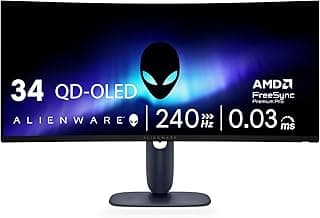
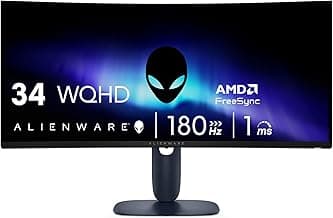
It depends on your priorities: ultrawide gives extra horizontal field of view which can help awareness in many games, but it also increases GPU load compared with a 16:9 display at the same pixel density. Competitive players who prioritize maximum frame rates and minimal latency sometimes choose smaller, ultra-high-refresh monitors instead. If you want a balance of comfort and competitive performance, mid-range ultrawides like the Alienware 34 series are designed to be responsive while still offering immersive visuals. Ultimately choose based on the games you play and whether added view and immersion matter more than peak FPS.
What refresh rate should I look for in a 1440p ultrawide gaming monitor?
For most gamers, 120–144Hz is a solid starting point that delivers noticeably smoother motion versus 60Hz. If you play fast-paced shooters or want the smoothest experience possible, look for 180–240Hz panels which are increasingly common in ultrawide models. Also check response times and whether the monitor supports adaptive sync (FreeSync/G‑Sync) to reduce tearing and stutter at variable frame rates. A high refresh rate paired with low response time and good color makes a big difference in both competitiveness and immersion.
Will a 3440×1440 ultrawide work with my console?
Most consoles target standard 16:9 resolutions, so many games won’t natively use the full 21:9 ultrawide aspect and may display with black bars or a stretched image. Some newer consoles and select games offer partial ultrawide support, but you should check individual game compatibility before buying. If console play is a priority, look for monitors with flexible scaling options and multiple inputs so you can switch between PC and console easily. For pure console-first setups, ensure the monitor’s input and display handling meet the console’s output standards. If console compatibility is a key concern, our best ultrawide gaming monitors for ps5 guide covers models with flexible scaling and HDMI support.
What features matter most when choosing the best 1440p ultrawide gaming monitor?
Prioritize refresh rate, panel type (IPS, VA, or QD‑OLED), and response time for gaming performance, and look for adaptive sync support to avoid tearing. Curvature and screen size affect immersion and viewing comfort, so pick a radius and size that suit your desk and seating distance. Also consider port selection, ergonomics, and HDR capability; premium QD‑OLED or high-end VA models like the Samsung Odyssey premium series highlight color and contrast if those are important. Finally, read user reviews for real-world performance and reliability before committing.
Final Verdict
After testing the field, the top ultrawide 1440p monitors stood out for consistent color reproduction, fast motion handling, and dependable connectivity—weak options fell short on one or more of those fronts. Prioritize panel type and color accuracy, refresh rate and response time, adaptive sync support, HDR performance, and practical ports/stand adjustability. The best-performing monitors combined high refresh responsiveness with accurate colors and solid ergonomics, delivering smooth gameplay and usable HDR without compromising everyday desktop clarity.
🏆 Best Overall: SANSUI 34-Inch Curved UWQHD 3440x1440 Up to 200Hz
💰 Best Budget: acer Nitro 27-Inch WQHD 2560x1440 180Hz Curved
⭐ Best Premium: Samsung Odyssey G93SC 49-Inch QD-OLED 240Hz DQHD